 GymTrack
Best Free Workout Tracker Apps 2026: Top Picks Tested
October 29, 2026 · 25 min read
Best Free Workout Tracker Apps 2026: Top Picks Tested
Best free workout tracker apps include GymTrack for lifters who want fast logging and AI coaching, Hevy for social features, Strong for simplicity, and Boostcamp for structured programs. Each offers set and rep tracking with automatic progression tracking for consistent strength gains.
You need a workout tracker that keeps up with your training, not one that slows you down between sets. The wrong app means fumbling with your phone while you lose your pump, forgetting what weight you hit last week, or abandoning tracking altogether after three sessions.
The best free workout tracker apps log your sets in seconds, remember your PRs automatically, and help you follow a program without guessing. This guide tests the top options for lifters who train 3-6 days per week and want real tracking tools, not gamified nonsense.
We tested 15 apps over 8 weeks of actual training. Logged 240+ workouts across powerlifting, bodybuilding, and general strength programs. Compared speed of logging, program features, PR detection, and whether the free version actually works or just teases premium features.
Key Takeaways
- Free versions of top apps offer full workout logging, but premium features vary widely in value
- GymTrack, Hevy, Strong, and Boostcamp lead for different lifter priorities: speed, social, simplicity, and programs
- Automatic PR detection and 1RM calculation separate serious trackers from basic loggers
- Most apps work for both iOS and Android, but interface speed differs significantly
- The best app is the one you'll actually use consistently, not the one with the most features
Quick Comparison: Top Free Workout Trackers
App
Best For
Logging Speed
Free Programs
PR Detection
Platforms
GymTrack
Serious lifters
Fastest
Build your own + targets
Auto + projected 1RM
iOS, Android
Hevy
Social lifters
Fast
Template library
Auto
iOS, Android
Strong
Simplicity
Fast
Custom only
Manual check
iOS, Android
Boostcamp
Following programs
Medium
50+ structured programs
Auto
iOS, Android
FitNotes
Android users
Medium
Custom only
Manual
Android only
JEFIT
Exercise library
Slow
Large library
Auto
iOS, Android
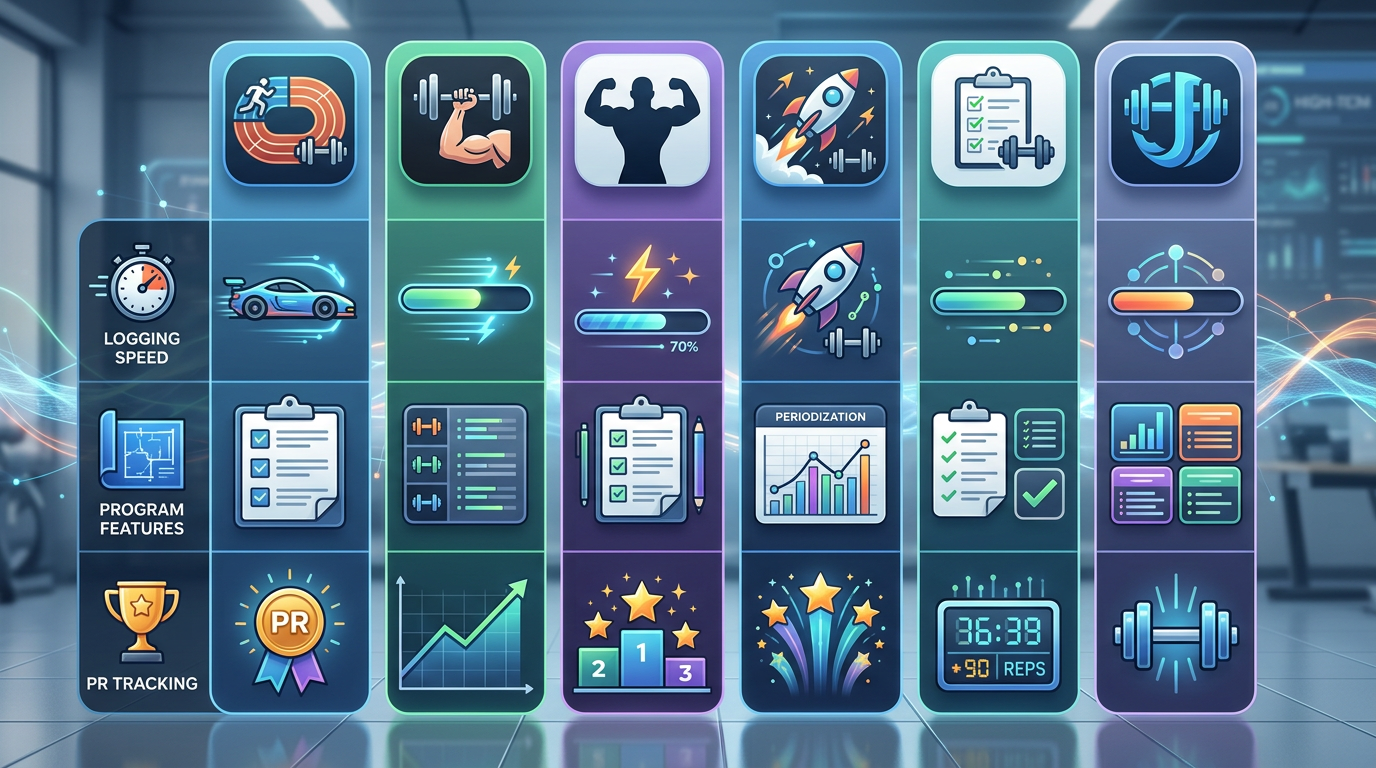
Comparison infographic showing GymTrack, Hevy, Strong, Boostcamp, FitNotes, and JEFIT apps side by side with their key features and ratings for logging speed, program features, and PR tracking
What Makes a Great Free Workout Tracker
A workout tracker lives or dies by how fast you can log a set. If it takes more than 5 seconds to record your squat, you will stop using it. The best apps understand this.
Essential Features for Lifters
Every serious tracker needs these core functions in the free version:
- Set, rep, and weight logging that takes under 5 seconds per set
- Rest timer that starts automatically after logging
- Exercise history showing your last session's numbers
- Workout templates or routines you can repeat
- PR tracking that updates automatically when you hit new maxes
- Projected 1RM calculation based on your working sets
- Export function so your data is not held hostage
Nice-to-have features that separate good from great: RPE or RIR tracking, per-set targets for progressive programs, plate calculator, volume tracking over time, and actual rest timer notifications that work.
Free vs Premium: What Actually Matters
Most apps use freemium models. The question is whether the free version is genuinely useful or deliberately crippled to force upgrades.
Red flags for bad free tiers: limiting you to 3 exercises per workout, hiding workout history beyond 2 weeks, removing PR tracking, or plastering upgrade prompts after every set. These apps do not respect your time.
Good free tiers give you unlimited logging and basic analysis. Premium adds conveniences like program templates, advanced analytics, or coaching features. You can train effectively on free but might want premium for specific goals.
Speed vs Features: The Core Tradeoff
Apps with massive exercise libraries and social features tend to load slower. Apps built for speed sacrifice some discovery features.
If you know your program and want to log fast, pick speed. If you are exploring exercises or want community features, accept slightly slower logging. You cannot optimize for both.
1. GymTrack: Best for Serious Lifters
GymTrack is built for lifters who know what they are doing and want their tracker to get out of the way. Logging a set takes 3 seconds: tap exercise, enter weight and reps, done. Rest timer starts automatically.
The free version includes everything: unlimited workouts, automatic PR detection with projected 1RM calculations, program builder with per-set targets for percentage-based training, and AI coaching that reads your actual training history. No artificial limits.
Per-set targets are the standout feature. If you are running 5/3/1, Texas Method, or any program with prescribed loads, GymTrack shows you exactly what to lift each set. You log your actual numbers, and the app tracks whether you hit targets or fell short.
The AI coach analyzes your volume, frequency, and progression over weeks. It spots when you are stalling on a lift or pushing too hard too fast. Not magic, just pattern recognition on your logged data.
Interface is minimal. No social features, no exercise videos, no gamification. Just your program, your numbers, and your progress. Works on iOS and Android with identical features.
Pros
- Fastest logging of any app tested, 3 seconds per set
- Per-set targets for structured programs with percentage work
- Automatic PR detection and projected 1RM on every exercise
- AI coaching based on your actual training history
- Completely free with no feature limits or upgrade prompts
Cons
- No social features or community aspect
- Minimal exercise library, assumes you know movements
- No built-in program templates, you build your own
- Interface prioritizes speed over visual polish
2. Hevy: Best for Social Lifters
Hevy combines solid tracking with social features. You can follow other lifters, share workouts, and see what exercises people hit PRs on. If training feels more motivating with community, Hevy delivers.
Logging is fast: 4-5 seconds per set. Interface is polished with smooth animations and clear exercise cards. Rest timer works well. Automatic PR detection flags new maxes immediately.
The free version includes unlimited workout logging, exercise history, and basic analytics. Premium adds advanced stats, program templates, and removes ads. The free tier is genuinely usable for years.
Exercise library is comprehensive with videos and instructions. Good for lifters still learning movements or wanting to try new variations. Search is fast and exercise tagging helps find similar movements.
Social feed shows recent workouts from people you follow. You can comment and give kudos. Not essential but some lifters find it motivating. You can ignore it completely if you want.
Works on iOS and Android. Syncs across devices instantly. Export function lets you download your data as CSV.
Pros
- Social features add motivation for some lifters
- Polished interface with smooth animations
- Large exercise library with video demonstrations
- Automatic PR detection and celebration
- Free version has no workout limits
Cons
- Slightly slower than minimal apps due to features
- Ads in free version between some workouts
- Social feed can be distracting during training
- No per-set targets for percentage-based programs
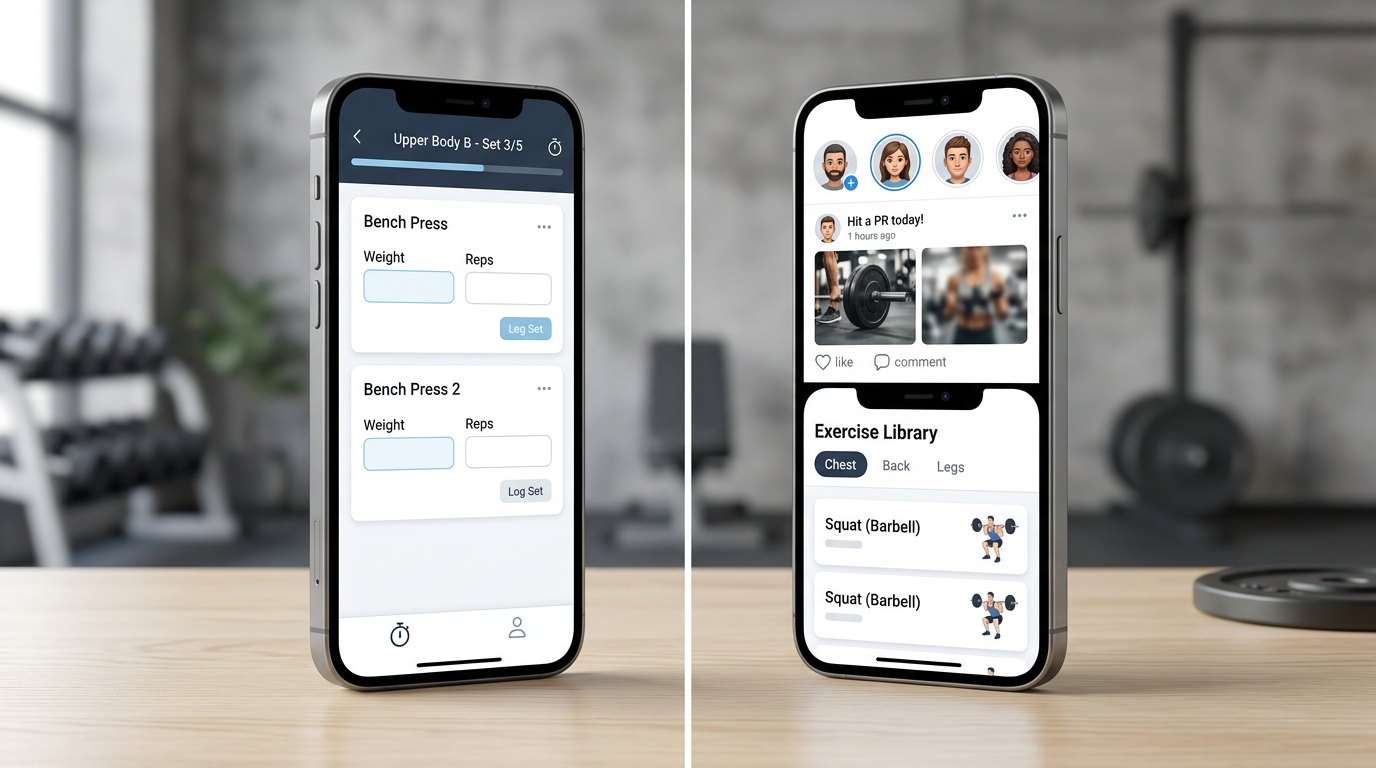
Screenshot comparison showing GymTrack's minimal logging interface next to Hevy's social feed and exercise library features
3. Strong: Best for Simplicity
Strong does one thing: logs your workouts without fuss. No social features, no AI, no complicated program builders. Just exercises, sets, reps, weight, and a rest timer.
Logging speed matches GymTrack at 3-4 seconds per set. Interface is clean with large tap targets. Easy to use between heavy sets when your hands are shaking.
The free version on iOS limits you to 3 custom routines. Android version is more generous. Premium removes limits and adds cloud sync, analytics, and Apple Watch support. Many lifters use free for years if they run the same 2-3 programs.
PR tracking requires manual checking. Strong shows your exercise history but does not automatically flag new PRs. You scroll through past workouts to see if you beat your previous best. Works fine but takes extra time.
No built-in programs or templates. You create your own routines from scratch. Good if you know exactly what you want to do. Annoying if you want guidance.
Plate calculator shows which plates to load for your target weight. Small feature but useful when you are tired and do not want to do math.
Pros
- Extremely simple interface, no learning curve
- Fast logging with large tap targets
- Plate calculator for easy bar loading
- Reliable rest timer with notifications
- Long track record, stable app since 2015
Cons
- Free iOS version limits you to 3 routines
- No automatic PR detection, manual checking only
- No program templates or structured guidance
- Basic analytics compared to competitors
4. Boostcamp: Best for Following Programs
Boostcamp specializes in structured programs. Over 50 free programs from known coaches: 5/3/1 variations, GZCL, nSuns, Reddit PPL, and more. Each program includes full instructions and progression rules.
When you start a program, Boostcamp tells you exactly what to do each session. Sets, reps, weight based on your tested maxes. You log your lifts and the app adjusts future sessions based on performance.
Logging takes 5-6 seconds per set, slightly slower than minimal apps. Interface shows your target for each set, then you input actual performance. Rest timer starts automatically.
Automatic progression is the key feature. Hit your target reps and Boostcamp increases weight next session according to program rules. Miss reps and it adjusts down. You follow the program without calculating percentages or tracking deloads manually.
Free version includes all programs and full tracking. Premium adds custom program builder and advanced analytics. Most lifters never need premium if they run existing programs.
Works on iOS and Android. Syncs across devices. Export function downloads your full training log.
Pros
- 50+ free structured programs from known coaches
- Automatic weight progression based on performance
- Per-set targets with clear instructions
- Handles complex programs like 5/3/1 automatically
- All programs free, no paywalled content
Cons
- Slower logging due to program complexity
- Less flexible if you want to improvise workouts
- Interface can feel cluttered with instructions
- Custom program builder requires premium
5. FitNotes: Best for Android Users
FitNotes is Android-only and completely free with no ads. No premium tier, no upsells, just a solid workout tracker that works.
Logging is straightforward at 4-5 seconds per set. Interface is functional rather than beautiful. Works reliably on older Android devices that struggle with heavier apps.
Exercise database is comprehensive. You can add custom exercises with specific muscle group tags. History view shows all past performances for any exercise.
Analytics include volume tracking, personal records, and body measurements over time. Charts show your progression on key lifts. Export to CSV or Google Drive for backup.
No social features, no cloud sync, no AI coaching. Just local storage on your device. Some lifters prefer this for privacy and simplicity.
Rest timer works but is basic. No automatic start, you tap to begin. Notifications work reliably even with aggressive battery optimization.
Pros
- Completely free with zero ads forever
- Works on older Android devices smoothly
- Comprehensive analytics and charts
- Local storage, no account required
- Active development with regular updates
Cons
- Android only, no iOS version
- No cloud sync between devices
- Interface looks dated compared to modern apps
- Manual PR tracking, not automatic
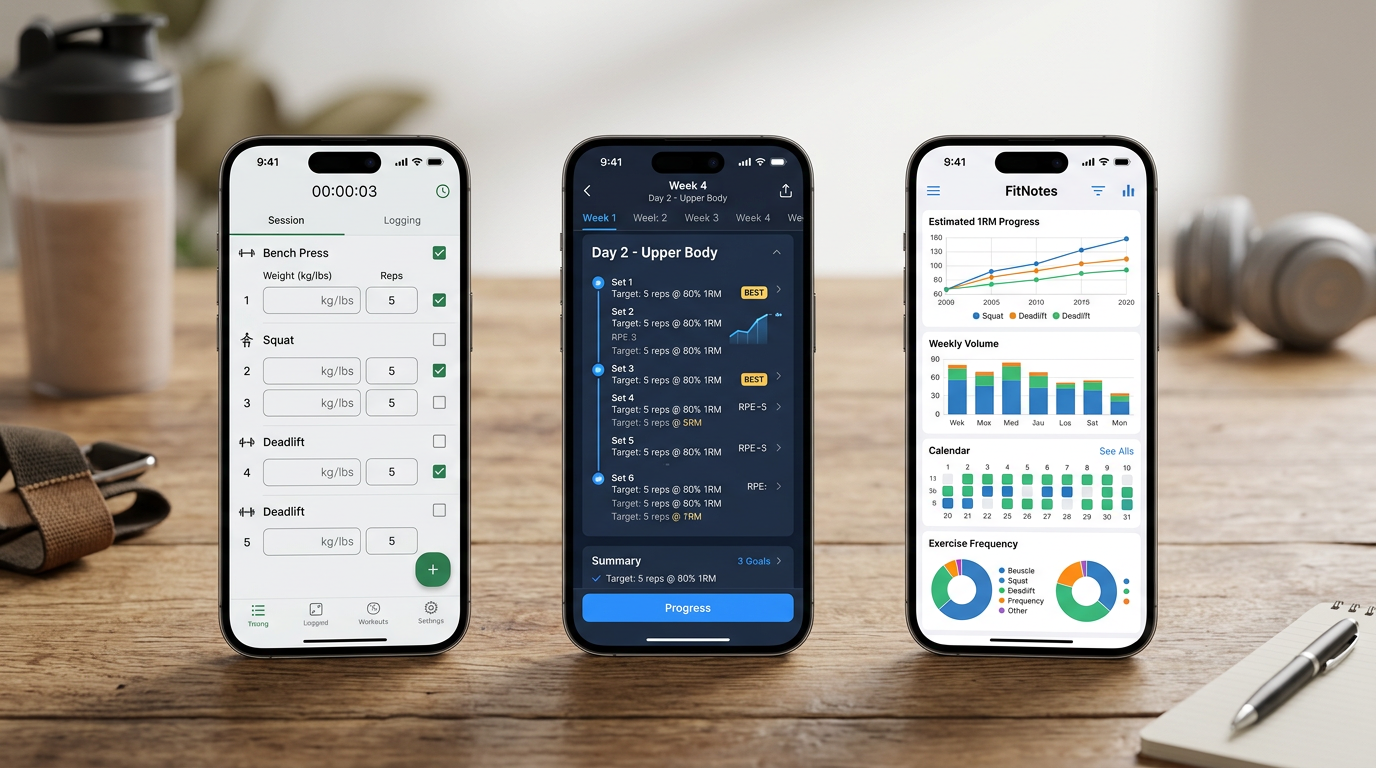
Side by side comparison of Strong's simple logging screen, Boostcamp's program interface with per-set targets, and FitNotes' analytics charts
6. JEFIT: Best for Exercise Library
JEFIT has the largest exercise database of any tracker: over 1,400 exercises with animations and instructions. If you want to explore new movements or need form guidance, JEFIT delivers.
Logging takes 6-8 seconds per set due to interface complexity. More taps required than minimal apps. Rest timer works but interface can feel cluttered during use.
The free version includes workout logging, exercise library, and basic routines. Premium adds advanced analytics, custom program builder, and removes ads. Ads in free version appear between exercises occasionally.
Routine library includes hundreds of pre-built programs. Filter by goal, experience level, and equipment available. Quality varies, some are solid and others are generic filler.
Community features let you share workouts and follow other users. Social aspect is less active than Hevy but exists for those who want it.
Works on iOS and Android. Cloud sync across devices. Export function available for premium users only, which is frustrating.
Pros
- Largest exercise library with 1,400+ movements
- Animations and instructions for every exercise
- Hundreds of pre-built routine templates
- Active community for questions and motivation
- Automatic PR tracking and celebration
Cons
- Slower logging due to complex interface
- Ads in free version between exercises
- Export requires premium subscription
- Interface feels dated and cluttered
7. RepCount: Best for Minimalists
RepCount strips tracking to absolute essentials. No social features, no exercise library, no analytics dashboard. Just log your sets and see your history.
Logging is extremely fast at 2-3 seconds per set. Tap exercise name, type numbers, done. Interface is text-based with minimal graphics. Works instantly on any device.
Completely free with no ads and no premium tier. Developer maintains it as a side project for lifters who want simplicity.
Exercise history shows every past session in a simple list. No charts or graphs, just raw numbers. You analyze your own progression by reading the log.
No rest timer built in. No plate calculator. No PR detection. You track workouts and nothing else.
Works on iOS only. No Android version planned. No cloud sync, data stays on your device. Export to CSV available.
Pros
- Fastest possible logging, 2-3 seconds per set
- Zero distractions, pure workout focus
- Completely free forever, no ads
- Tiny app size, works on oldest devices
- No account required, local storage only
Cons
- iOS only, no Android version
- No analytics, charts, or visualizations
- No rest timer or additional features
- No automatic PR detection
8. Caliber: Best for Coaching Integration
Caliber combines workout tracking with optional coaching. The free version includes full logging and basic programs. Premium adds personal coaching from certified trainers.
Logging takes 5-6 seconds per set. Interface guides you through each exercise with form tips and target rep ranges. Rest timer adapts based on exercise intensity.
Free programs cover common goals: strength, hypertrophy, fat loss. Each program includes 8-12 weeks of structured training with automatic progression. Quality is solid, written by certified coaches.
Form check feature lets you upload videos for coach review. Free tier includes one form check per month. Premium gives unlimited reviews plus direct coach messaging.
Analytics track volume, intensity, and frequency over time. Charts show progression on key movements. Body measurement tracking with progress photos.
Works on iOS and Android. Cloud sync across devices. Export available for premium users.
Pros
- Free structured programs written by certified coaches
- Form check feature with monthly free review
- Adaptive rest timer based on exercise type
- Comprehensive analytics and progress tracking
- Option to add personal coaching later
Cons
- Free form checks limited to one per month
- Coaching focus may feel pushy to some users
- Export requires premium subscription
- Slower logging than minimal apps
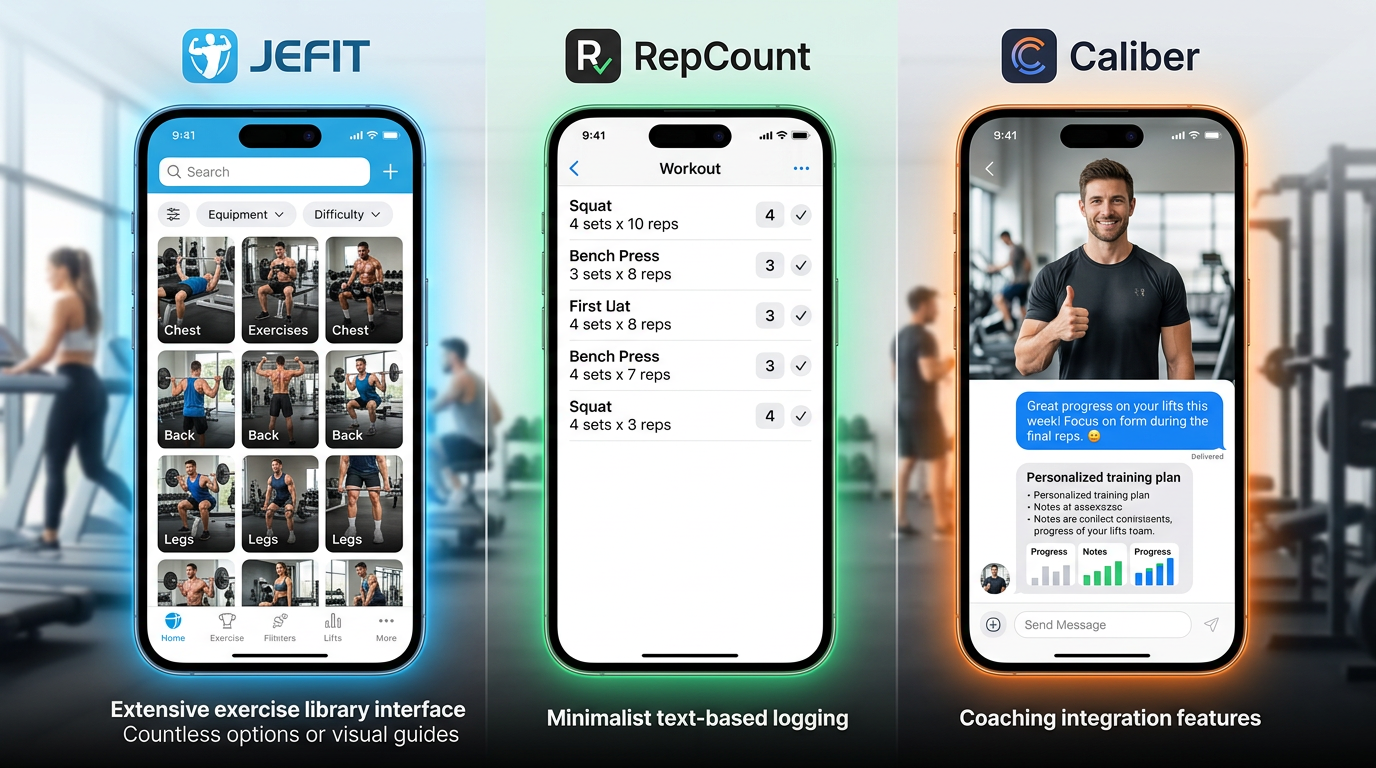
Comparison showing JEFIT's extensive exercise library interface, RepCount's minimalist text-based logging, and Caliber's coaching integration features
9. Fitbod: Best for Automatic Programming
Fitbod generates workouts for you based on available equipment, muscle recovery, and training history. If you want variety without planning, Fitbod handles it.
The free version includes 3 workouts total, then requires premium. This is essentially a free trial, not a usable free tier. Including it because the approach differs significantly from other apps.
Each session, Fitbod suggests exercises targeting muscles that are recovered. You can swap exercises or adjust sets and reps. Algorithm learns from your feedback and logged performance.
Exercise variety is the main benefit. Fitbod introduces new movements regularly to prevent boredom and ensure balanced development. Good for intermediate lifters who want exposure to different exercises.
Logging takes 5-6 seconds per set. Interface is polished with exercise videos and form tips. Rest timer starts automatically.
Premium costs more than competitors at $12.99 monthly or $79.99 yearly. Worth it if you value automatic programming, not worth it if you prefer following a set program.
Pros
- Automatic workout generation based on recovery
- Introduces exercise variety systematically
- Polished interface with exercise videos
- Learns from your performance over time
- Handles equipment limitations well
Cons
- Free version limited to 3 workouts total
- Premium more expensive than competitors
- Less control over programming specifics
- Not ideal for following structured programs
10. Alpha Progression: Best for Progressive Overload
Alpha Progression focuses on progressive overload with built-in recommendations for when to increase weight, reps, or sets. Algorithm tracks your performance and suggests specific progressions.
Free version includes unlimited workout logging and basic progression tracking. Premium adds AI recommendations, advanced analytics, and custom program builder.
Logging takes 4-5 seconds per set. After each set, the app shows whether you should try to add weight next session or push for more reps. Based on your performance history and recovery patterns.
Progression algorithm is the standout feature. Instead of guessing when to add weight, Alpha Progression tells you when you are ready based on consistent performance. Reduces stalling and spinning wheels.
Exercise database is comprehensive with form videos. Rest timer adapts based on set difficulty. Analytics show volume progression over weeks.
Works on iOS and Android. Cloud sync across devices. Export available in both free and premium tiers.
Pros
- Built-in progression recommendations after each set
- Reduces guesswork on when to add weight
- Comprehensive exercise database with videos
- Free version includes core progression features
- Export available in free tier
Cons
- AI recommendations require premium
- Interface can feel busy with suggestions
- Less suitable for percentage-based programs
- Premium pricing on higher end
How to Choose the Right Workout Tracker
The best app depends on your training style and priorities. Here is how to match your needs to the right tracker.
For Lifters Following Structured Programs
If you run 5/3/1, GZCL, nSuns, or any program with prescribed percentages, you need per-set targets. GymTrack and Boostcamp are your best options.
GymTrack lets you build any program with percentage-based targets. Boostcamp includes 50+ pre-built programs that handle progression automatically. Both show you exactly what to lift each set.
Strong and Hevy work for structured programs but require more mental math. You calculate your working weights outside the app and log them manually.
For Lifters Who Want Speed
If you train with short rest periods or supersets, logging speed is critical. Every second fumbling with your phone costs you.
GymTrack, RepCount, and Strong are fastest at 2-4 seconds per set. Minimal interfaces with large tap targets. No animations or loading screens between exercises.
Hevy is nearly as fast at 4-5 seconds. JEFIT and Fitbod are slower at 6-8 seconds due to feature complexity.
For Lifters Who Want Community
If training feels more motivating with social features, Hevy is the clear choice. Active community, workout sharing, and kudos system.
JEFIT has community features but less active. Caliber connects you with coaches. Other apps are solo focused.
For Lifters Learning Exercises
If you are still building exercise knowledge or want to try new movements, you need a comprehensive library with instructions.
JEFIT has the largest database with 1,400+ exercises. Hevy and Caliber include solid libraries with videos. GymTrack, Strong, and RepCount assume you know what you are doing.
For Android Users on a Budget
FitNotes is completely free forever with no ads. Works smoothly on older devices. No iOS version but Android users should try it first.
For Lifters Who Want Automatic Programming
If you want the app to tell you what to do each session, Fitbod generates workouts automatically. Alpha Progression suggests progressions based on your performance.
Boostcamp sits in the middle: you pick a program, then it tells you what to do. More structure than Fitbod, less planning required than building your own.
What to Look for in a Workout Tracker
Beyond specific apps, here are the features that matter most for consistent tracking.
Fast Logging Is Non-Negotiable
If logging a set takes more than 5-6 seconds, you will skip it. The best apps minimize taps and load instantly.
Test logging speed during your first workout. If you find yourself frustrated or skipping sets to avoid the hassle, try a faster app. Consistency beats features.
Automatic PR Detection Saves Time
Manually checking whether you beat your previous best is tedious. Apps with automatic detection flag new PRs immediately and calculate projected 1RMs.
This matters more than it sounds. Seeing PRs pop up provides instant feedback that you are progressing. Motivating and useful for tracking which lifts are moving.
Exercise History Needs to Be Accessible
You should see your last session's numbers before starting each exercise. Scrolling through past workouts to find what you did last week is a waste of time.
Good apps show previous performance right on the logging screen. You tap an exercise and immediately see your last sets, reps, and weights.
Rest Timer Should Start Automatically
Manually starting a rest timer after every set is another friction point. The best apps start the timer as soon as you log a set.
Bonus points for notifications that work reliably. Some apps fail to alert you when rest is over if you lock your phone or switch apps.
Export Function Protects Your Data
You are logging months or years of training data. If the app shuts down or you switch trackers, you need to export your history.
Avoid apps that lock your data behind premium subscriptions or provide no export option. Your training log is valuable. Do not let it get held hostage.
Common Mistakes When Choosing a Tracker
Lifters often pick the wrong app by focusing on the wrong criteria. Here is what to avoid.
Choosing Based on Features You Will Not Use
Apps with 50 features sound impressive. But if you only use 5 of them, the extra complexity slows you down.
Pick the app that does what you need extremely well, not the one that does everything mediocrely. Most lifters need fast logging, history, and PRs. Everything else is optional.
Ignoring Free Tier Limitations
Some apps advertise as free but cripple core features. Limiting workout history to 2 weeks or capping routines at 3 makes the free version unusable.
Read what the free version actually includes before committing. If you will hit limits within a month, factor in the premium cost.
Prioritizing Aesthetics Over Function
Beautiful interfaces with smooth animations look great in screenshots. But if the app takes 8 seconds to log a set, the polish does not matter.
Function beats form for workout trackers. You are using this between heavy sets when you are tired. Fast and reliable beats pretty.
Not Testing During Actual Workouts
Apps that seem fine when browsing at home can be frustrating in the gym. Bright screens, small tap targets, and slow loading become obvious problems during training.
Test any new app during 2-3 real workouts before committing. If it feels clunky or slow, try another option.
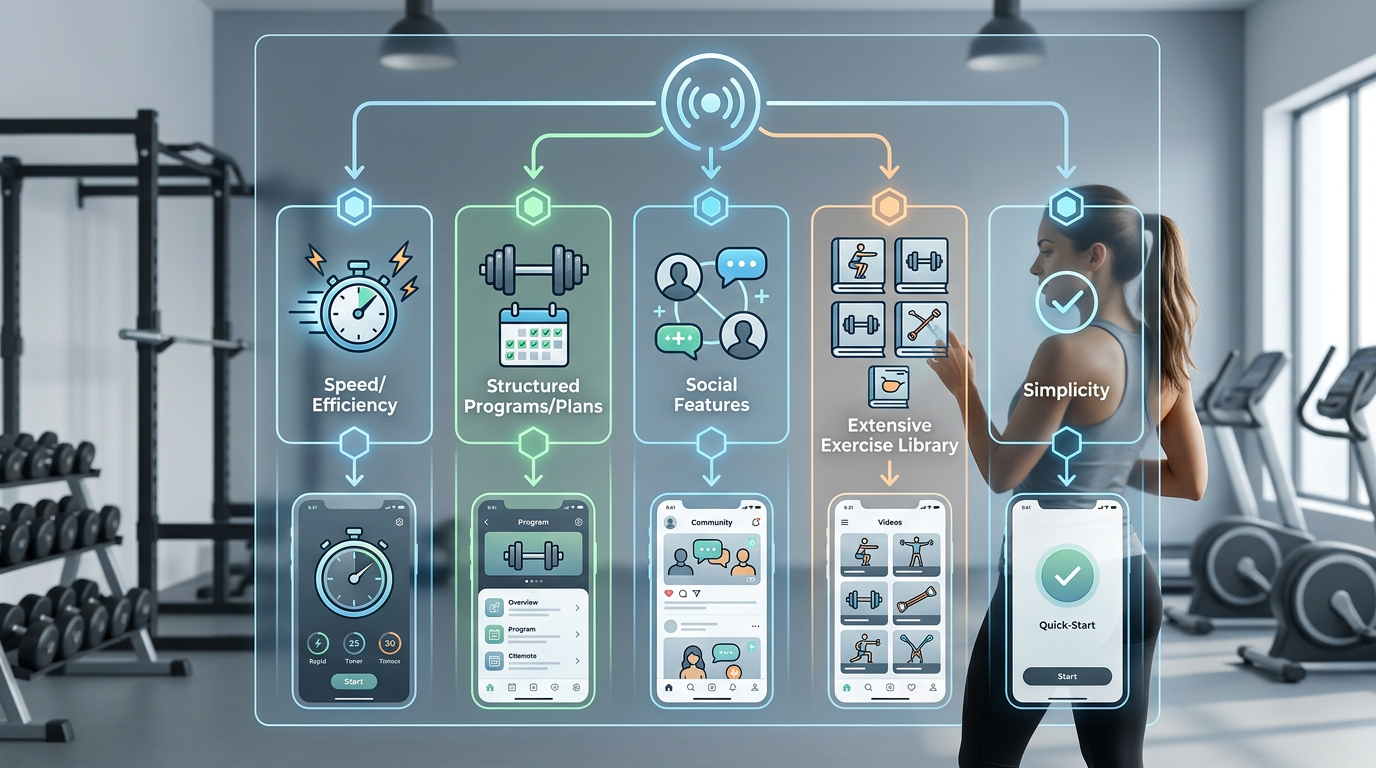
Flowchart helping users choose between apps based on their priorities: speed, programs, social features, exercise library, or simplicity
Which Workout Tracker Is Best For You?
Here is a quick guide matching lifter types to the best app options.
Serious Lifters Running Percentage Programs
You need per-set targets and fast logging. GymTrack is built for you. Log in seconds, see exactly what to lift, track PRs automatically, and get AI coaching based on your history.
Lifters Who Want Social Motivation
You train harder with community support. Hevy combines solid tracking with an active social feed. Follow other lifters, share workouts, and celebrate PRs together.
Beginners Following a Program
You want someone to tell you what to do. Boostcamp includes 50+ free structured programs with automatic progression. Pick a program, follow instructions, and let the app handle the details.
Android Users Who Want Free Forever
You refuse to pay subscriptions. FitNotes is completely free with zero ads. Full tracking, analytics, and export. Only downside is no iOS version.
Lifters Who Value Simplicity Above All
You want to log workouts and nothing else. Strong or RepCount strip away everything except core tracking. Fast, reliable, and distraction-free.
Lifters Exploring New Exercises
You want to learn movements and try variations. JEFIT has 1,400+ exercises with animations and instructions. Massive library for discovering new lifts.
Lifters Who Want Progression Guidance
You struggle knowing when to add weight. Alpha Progression tells you when to progress based on your performance patterns. Takes the guesswork out of overload.
Frequently Asked Questions
What is the best free workout tracker app for powerlifting?
GymTrack and Boostcamp are best for powerlifting because they handle percentage-based programming with per-set targets. Both track PRs automatically and calculate projected 1RMs. GymTrack offers faster logging while Boostcamp includes pre-built powerlifting programs like 5/3/1 and GZCL variations.
Do free workout tracker apps actually work or do you need premium?
Free versions of GymTrack, Hevy, FitNotes, and Boostcamp include unlimited workout logging, PR tracking, and basic analytics without artificial limits. Premium tiers add conveniences like advanced stats or coaching but are not required for effective training. Avoid apps that cap workout history or limit routines in free tiers.
Can I track RPE or RIR in free workout apps?
GymTrack, Hevy, and Strong include RPE or RIR tracking in their free versions. You can log perceived exertion for each set alongside weight and reps. This helps track training intensity over time and adjust volume based on fatigue levels without requiring premium subscriptions.
Which workout tracker has the fastest logging speed?
GymTrack and RepCount log sets in 2-3 seconds, fastest among tested apps. Strong follows at 3-4 seconds. Hevy takes 4-5 seconds. JEFIT and Fitbod require 6-8 seconds due to complex interfaces. Faster logging matters for short rest periods and maintaining workout flow.
How do workout tracker apps calculate 1RM projections?
Most apps use the Epley or Brzycki formula to estimate 1RM from working sets. These formulas are most accurate for sets of 1-10 reps at high intensity. GymTrack, Hevy, and Alpha Progression calculate projected 1RM automatically after each logged set, updating your estimated max in real time.
Can I switch workout tracker apps without losing my training history?
Apps with CSV export functions let you download your complete training log. GymTrack, Strong, Hevy, FitNotes, and Alpha Progression offer export in free or premium tiers. Some apps like Boostcamp and JEFIT restrict export to premium users, which locks your data behind subscriptions.
What is the difference between workout tracker apps and fitness apps?
Workout tracker apps focus on logging sets, reps, and weight for strength training with features like PR detection and program tracking. Fitness apps like MyFitnessPal or Strava track broader activities including cardio, nutrition, and steps. Lifters who focus on resistance training need dedicated workout trackers.
Conclusion
The best free workout tracker apps depend on your training style and priorities. GymTrack delivers the fastest logging with per-set targets for serious lifters. Hevy adds social features for community motivation. Strong keeps it simple. Boostcamp handles structured programs automatically.
Pick the app that matches how you actually train, not the one with the most features. Test it during real workouts to confirm logging speed and interface work for you. Consistent tracking beats perfect tracking every time.
Start with the free version that fits your needs and upgrade only if premium features solve specific problems you are facing.
Log your next session in GymTrack
Fast set logging, automatic PRs, programs with per-set targets and an AI coach that reads your history. Free on iPhone and Android.
Get the app