 GymTrack
Best weightlifting apps: Top picks for strength
October 30, 2026 · 27 min read
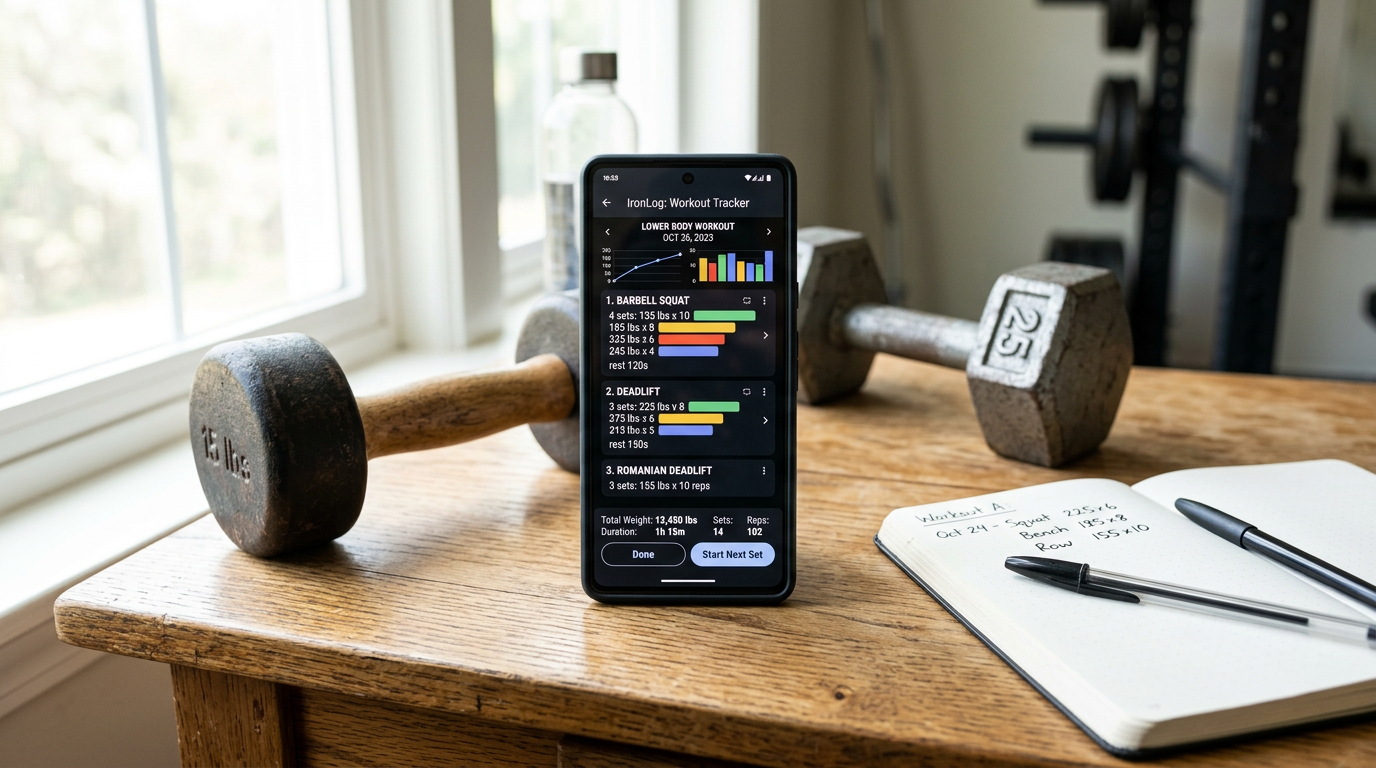
Best weightlifting apps: Top picks for strength
The best weightlifting apps for strength training include GymTrack for fast logging with AI coaching, Strong for simple workout tracking, Hevy for social features, Boostcamp for free programs, and JEFIT for exercise library depth. Each offers automatic progression tracking, PR detection, and structured program support to help lifters build strength consistently.
You need a way to track your lifts. Paper logs work but you lose them. Spreadsheets work but they're slow between sets. A good weightlifting app logs your workout in seconds, tracks your progress automatically, and tells you what to lift next session.
The best weightlifting apps do more than just record numbers. They detect PRs without you hunting through old workouts. They calculate your projected 1RM from your top sets. They show you if you're actually getting stronger over time or just spinning your wheels.
Most lifters who train 3-6 days a week need an app that handles real programs with progression schemes, not just random workouts. You want per-set targets, not vague suggestions. You want rest timers that don't interrupt your flow. You want to see your squat graph trending up over 12 weeks, not guess if you're making progress.
This guide covers the top weightlifting apps for serious strength training. We tested each one for logging speed, program features, progression tracking, and how well they serve lifters running LP, 531, or block periodization. No fluff, just what each app does best and who should use it.
Key Takeaways
- GymTrack offers the fastest logging with AI coaching that reads your training history and adjusts programs based on your actual performance
- Strong and Hevy provide solid free options for basic workout tracking with automatic rest timers and PR detection
- Boostcamp gives you access to hundreds of free structured programs from Starting Strength to nSuns
- JEFIT has the largest exercise library with 1300+ movements and detailed form guides
- Most apps now include automatic 1RM projection and volume tracking across mesocycles
Quick Comparison: Best Weightlifting Apps
App
Best For
Price
Key Feature
Platform
GymTrack
Serious lifters who want AI coaching
Free
AI coach reads your history
iOS, Android
Strong
Simple, fast workout logging
Free/$5/mo
Clean interface
iOS, Android
Hevy
Lifters who want social features
Free/$9/mo
Social feed and challenges
iOS, Android
Boostcamp
Following established programs
Free
Hundreds of free programs
iOS, Android
JEFIT
Exercise library depth
Free/$13/mo
1300+ exercises
iOS, Android
RepCount
Apple Watch users
$8 one-time
Watch-first design
iOS only
FitNotes
Android users who want offline
Free
No account required
Android only
Caliber
Human coaching included
$60/mo
Real coach reviews workouts
iOS, Android
Gravitus
Advanced analytics
Free/$10/mo
Detailed volume metrics
iOS, Android
Alpha Progression
Auto-regulated progression
Free/$8/mo
Algorithm adjusts volume
iOS, Android
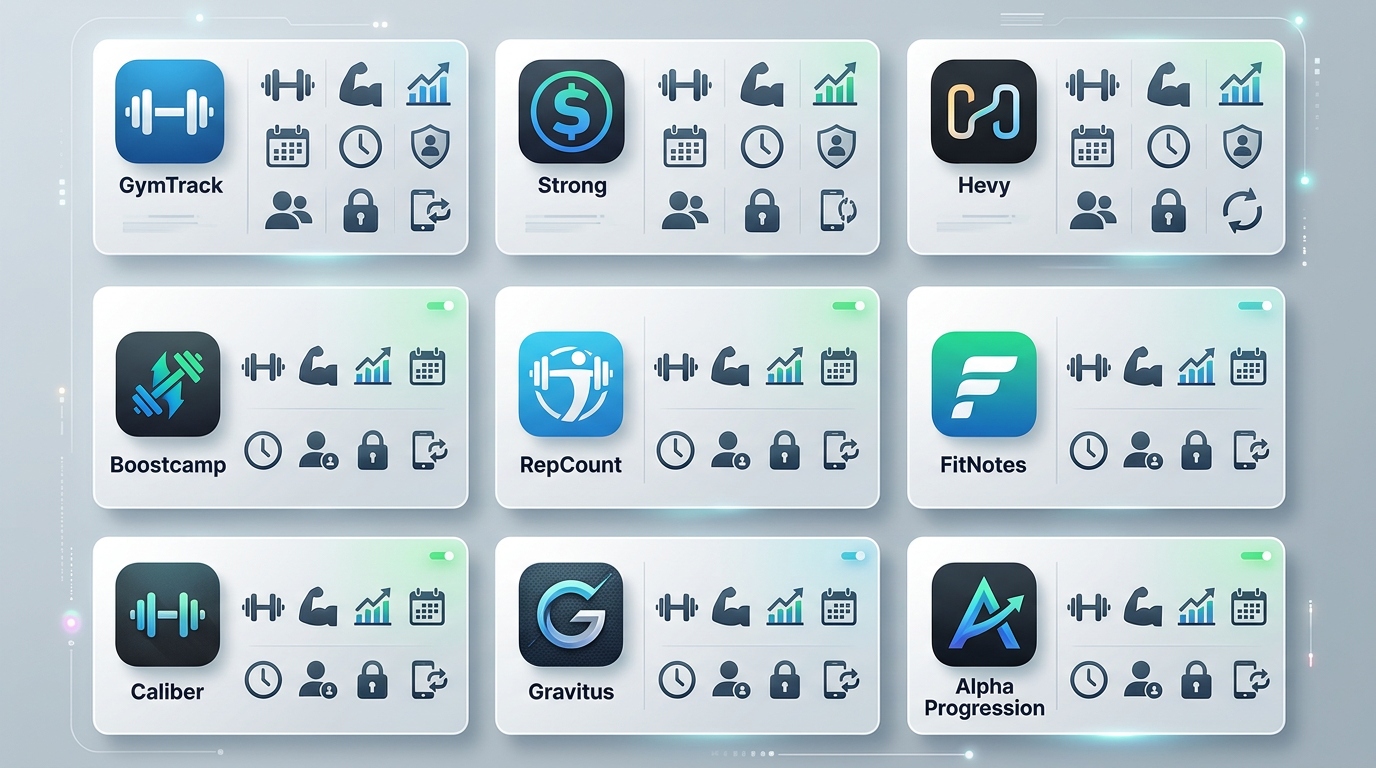
Comparison chart showing the 10 best weightlifting apps with icons for GymTrack, Strong, Hevy, Boostcamp, JEFIT, RepCount, FitNotes, Caliber, Gravitus, and Alpha Progression arranged in a grid with their key features
1. GymTrack
GymTrack is built for lifters who want to log workouts fast and get AI coaching based on their actual training history. You can log sets, reps, weight, and RPE in under 5 seconds per set. The app detects PRs automatically and shows your projected 1RM after every working set.
The AI coach reads your entire training history and adjusts your program based on what you've actually lifted, not generic percentages. If you hit 225x5 on squat at RPE 8 last week, it knows to program 230x5 this week. If you miss reps, it adjusts down. No manual spreadsheet updates.
You can follow structured programs with per-set targets or build your own. The app includes programs from LP to block periodization. Volume tracking shows total tonnage per muscle group across your mesocycle. The interface is clean with no ads or upsells.
GymTrack works offline and syncs across iOS and Android. All core features are free. The AI coaching feature uses your logged workouts to suggest deloads, detect fatigue patterns, and recommend when to push for PRs based on your recent performance trends.
Pros
- Fastest logging speed, under 5 seconds per set
- AI coach reads your full training history and adjusts programs
- Automatic PR detection and 1RM projection after every set
- Per-set targets for structured program progression
- Free with no feature limits or ads
Cons
- Newer app with smaller user base than Strong or Hevy
- No social features or community challenges
- Exercise library smaller than JEFIT
2. Strong Workout Tracker
Strong has been around since 2015 and is one of the most popular weightlifting apps. The interface is simple and fast. You create routines, log sets and reps, and the app tracks your history. Rest timers start automatically after each set.
The free version lets you track unlimited workouts and exercises. You get basic charts showing your progress on each lift over time. Strong is best for lifters who want straightforward workout logging without extra features getting in the way.
The paid version adds features like plate calculator, custom exercise creation, and cloud backup. Most lifters find the free version sufficient. The app doesn't include built-in programs, so you need to create your own routines or copy one from a spreadsheet.
Strong works offline and syncs across devices. The exercise library covers all standard barbell and dumbbell movements. Progress charts are basic but clear. You can see your volume trends and PR history for each exercise.
Pros
- Clean, simple interface that's easy to learn
- Free version includes unlimited workouts
- Automatic rest timers between sets
- Works offline with cloud sync
- Large user base with good support
Cons
- No built-in programs or progression schemes
- No AI coaching or auto-regulation
- Basic analytics compared to newer apps
- Free version lacks plate calculator
3. Hevy
Hevy combines workout tracking with social features. You can follow other lifters, share workouts, and join challenges. The app has a feed similar to Instagram where you see what your friends are lifting.
The workout logging is solid with automatic rest timers, PR detection, and volume tracking. Hevy is the best weightlifting app if you want community features and motivation from training partners. You can comment on workouts, give kudos, and compare your lifts with others.
The free version includes unlimited routines and exercises. The pro version adds advanced analytics, custom exercises, and the ability to follow more than 3 routines. The exercise library is comprehensive with video guides for most movements.
Hevy includes some built-in programs like PPL and Upper/Lower splits. You can also browse community-created routines and copy them to your account. The app tracks your estimated 1RM and shows strength standards compared to other users at your bodyweight.
Pros
- Social features with workout feed and challenges
- Free version is fully functional
- Good exercise library with video guides
- PR detection and 1RM tracking
- Community-created routines you can copy
Cons
- Social features can be distracting if you don't want them
- Free version limits you to 3 active routines
- No AI coaching or auto-regulation
- Analytics less detailed than GymTrack or Gravitus
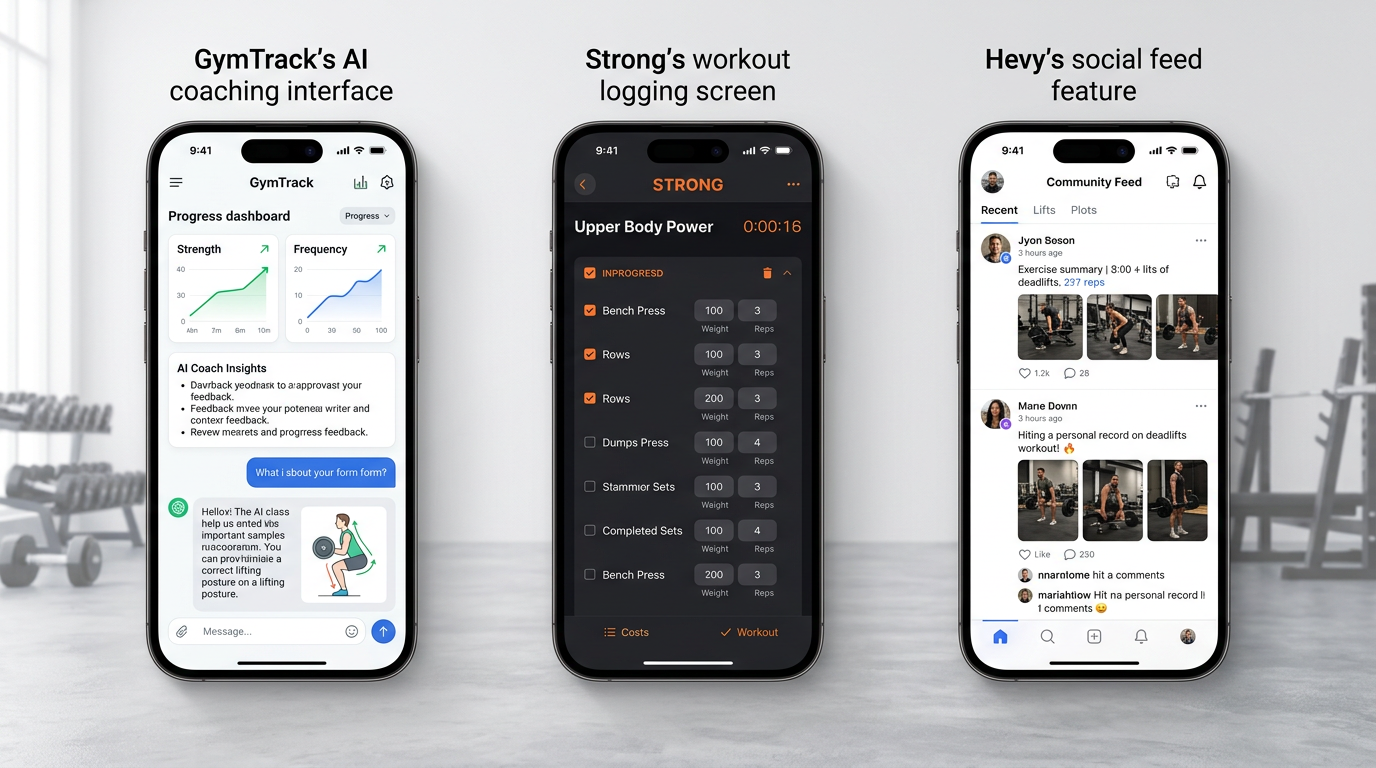
Side-by-side smartphone screenshots showing GymTrack's AI coaching interface, Strong's workout logging screen, and Hevy's social feed feature
4. Boostcamp
Boostcamp gives you access to hundreds of free strength training programs. You can run Starting Strength, nSuns, GZCL, Candito, and many others without paying for coaching or buying a program.
This is the best weightlifting app for lifters who want to follow established programs without building their own. Each program includes the full progression scheme, deload protocols, and per-set targets. The app tells you exactly what to lift each session based on your training maxes.
You log your sets and the app tracks your progress through the program. If you miss reps, some programs auto-adjust your training max. The interface is clean and focused on program execution, not social features or extra analytics.
Boostcamp is completely free with no paid tier. The app includes programs for beginners running LP to advanced lifters running block periodization. You can switch between programs as needed. The exercise library covers all movements in the included programs.
Pros
- Hundreds of free programs from established coaches
- Per-set targets based on your training maxes
- Completely free with no paid features
- Auto-progression built into most programs
- Clean interface focused on program execution
Cons
- Limited if you want to build custom programs
- No AI coaching beyond program auto-regulation
- Analytics are basic compared to dedicated tracking apps
- Can't easily modify program structure
5. JEFIT
JEFIT has been around since 2010 and has the largest exercise library of any weightlifting app. Over 1300 exercises with detailed instructions and animated guides. If you do obscure movements or need form help, JEFIT probably has it.
The workout tracking is comprehensive. You log sets, reps, weight, and rest time. The app tracks your volume, calculates your 1RM, and shows detailed progress charts. JEFIT is best for lifters who want an extensive exercise database and detailed workout analytics.
The free version includes the full exercise library and basic tracking. The paid version adds advanced analytics, no ads, and custom exercise creation. You can browse thousands of community-created routines or build your own.
JEFIT includes a social component where you can follow other users and share workouts. The app works offline and syncs across devices. Progress charts show volume trends, strength gains, and body measurements over time.
Pros
- Largest exercise library with 1300+ movements
- Detailed form guides and animations
- Comprehensive analytics and progress tracking
- Thousands of community routines
- Works offline with cloud sync
Cons
- Interface feels dated compared to newer apps
- Free version has ads
- Logging speed slower than GymTrack or Strong
- No AI coaching or auto-regulation
6. RepCount
RepCount is designed for Apple Watch first. You log your entire workout from your wrist without pulling out your phone. Voice commands let you add sets hands-free. The watch vibrates when your rest timer ends.
This is the best weightlifting app for Apple Watch users who want to leave their phone in the locker. The watch app is fully functional, not just a companion. You can start workouts, log sets, adjust weight, and finish without touching your phone.
The iPhone app syncs your workout history and shows detailed analytics. You get PR tracking, volume charts, and progression graphs. The app costs 8 dollars one-time with no subscription. All features unlock with that single purchase.
RepCount includes automatic plate calculation so you know which plates to load. Rest timers are customizable per exercise. The app works offline and syncs via iCloud. Exercise library covers standard movements with the ability to add custom exercises.
Pros
- Full Apple Watch functionality without phone
- Voice commands for hands-free logging
- One-time purchase, no subscription
- Automatic plate calculator
- Works completely offline
Cons
- iOS only, no Android version
- Requires Apple Watch for main features
- Smaller exercise library than JEFIT
- No built-in programs or AI coaching
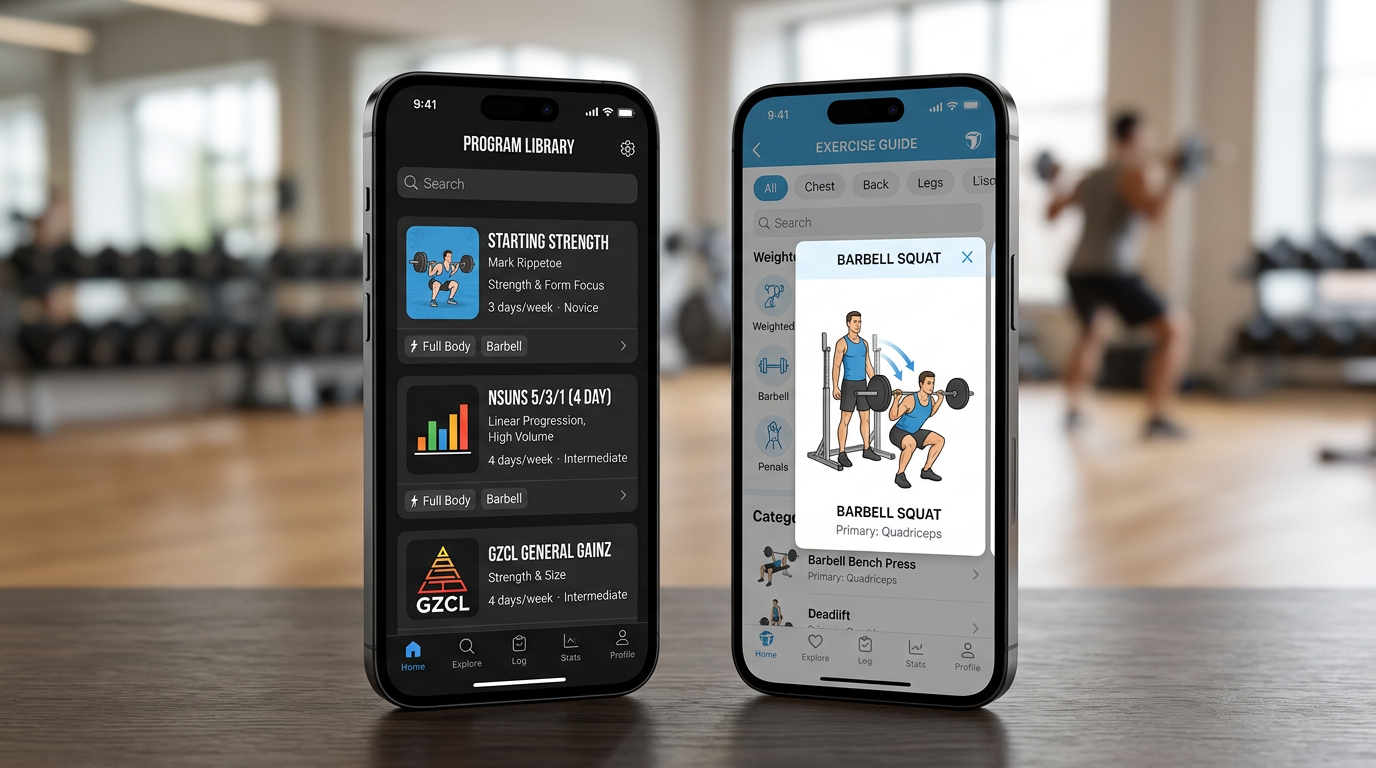
Smartphone screen showing Boostcamp's program library with Starting Strength, nSuns, and GZCL programs, next to JEFIT's exercise library interface displaying animated form guides
7. FitNotes
FitNotes is an Android-only app that works completely offline with no account required. All your data stays on your device. You can export backups to Google Drive or Dropbox.
The app is simple and fast. You create routines, log workouts, and track your progress. FitNotes is the best weightlifting app for Android users who want privacy and offline functionality. No ads, no social features, no cloud requirements.
The interface is clean with material design. You get rest timers, PR tracking, and basic progress charts. The app calculates your estimated 1RM and tracks volume over time. Exercise library covers standard movements with the ability to add custom exercises.
FitNotes is completely free with no paid version. The developer maintains it as a passion project. Updates are infrequent but the app is stable and does what it needs to do. You can import routines from text files and export your entire workout history as CSV.
Pros
- Completely free with no ads
- Works offline, no account required
- All data stored locally on your device
- Simple, fast interface
- Export workout history as CSV
Cons
- Android only, no iOS version
- No cloud sync across devices
- Basic analytics compared to paid apps
- No built-in programs or AI features
- Infrequent updates
8. Caliber
Caliber includes a real human coach who reviews your workouts and adjusts your program. You fill out a questionnaire about your goals, experience, and available equipment. A coach builds you a custom program and checks in weekly.
This is the best weightlifting app if you want human coaching without hiring a local trainer. Your coach reviews your logged workouts, answers questions, and modifies your program based on your progress and feedback.
The app itself is solid with workout tracking, video demos, and progress analytics. You log your sets and the coach sees everything. If you're struggling with a movement or plateau, your coach adjusts the program.
Caliber costs 60 dollars per month, significantly more than other apps. You're paying for the human coaching, not just the app. The service works best for lifters who need accountability and expert guidance but can't afford or don't want in-person training.
Pros
- Real human coach reviews your workouts
- Custom program built for your goals and equipment
- Coach adjusts program based on your progress
- Weekly check-ins and messaging
- Good for accountability and guidance
Cons
- Expensive at 60 dollars per month
- Coach quality varies
- Less control over your program than self-directed apps
- Overkill if you just need workout tracking
9. Gravitus
Gravitus focuses on advanced analytics and volume tracking. The app tracks total tonnage per muscle group, shows volume landmarks across your mesocycle, and calculates fatigue metrics based on your recent training.
Gravitus is the best weightlifting app for data-focused lifters who want detailed volume metrics and periodization tracking. You can see if you're hitting your target volume for each muscle group and how your fatigue is accumulating across a training block.
The workout logging is straightforward with automatic rest timers and PR detection. The real value is in the analytics dashboard. You get charts showing volume per muscle group over time, intensity distribution, and training frequency.
The free version includes basic tracking and limited analytics. The pro version at 10 dollars per month unlocks all analytics features, custom exercises, and program templates. The app works on iOS and Android with cloud sync.
Pros
- Most detailed volume analytics of any app
- Tracks tonnage per muscle group across mesocycles
- Fatigue metrics and intensity distribution
- Good for periodization planning
- Clean, data-focused interface
Cons
- Best features require paid subscription
- Analytics can be overwhelming for beginners
- No AI coaching or auto-regulation
- Smaller exercise library than JEFIT
10. Alpha Progression
Alpha Progression uses an algorithm to adjust your training volume based on your performance. If you're hitting all your sets and reps at the target RPE, the app increases volume or intensity. If you're missing reps, it reduces volume or suggests a deload.
This is the best weightlifting app for auto-regulated progression without manual spreadsheet adjustments. The algorithm tracks your performance over time and modifies your program to keep you progressing without burning out.
You input your goals, experience level, and available training days. The app generates a program and adjusts it weekly based on your logged workouts. You can choose between strength, hypertrophy, or powerlifting focus.
The free version includes basic tracking and limited auto-regulation. The pro version at 8 dollars per month unlocks full algorithm features, custom exercises, and detailed analytics. The app works on iOS and Android.
Pros
- Algorithm auto-regulates volume and intensity
- Adjusts program based on your performance
- Suggests deloads when fatigue accumulates
- Generates programs based on your goals
- Affordable at 8 dollars per month
Cons
- Algorithm is a black box, less control than manual programming
- Best features require paid subscription
- Not as flexible as building your own programs
- Newer app with smaller user base
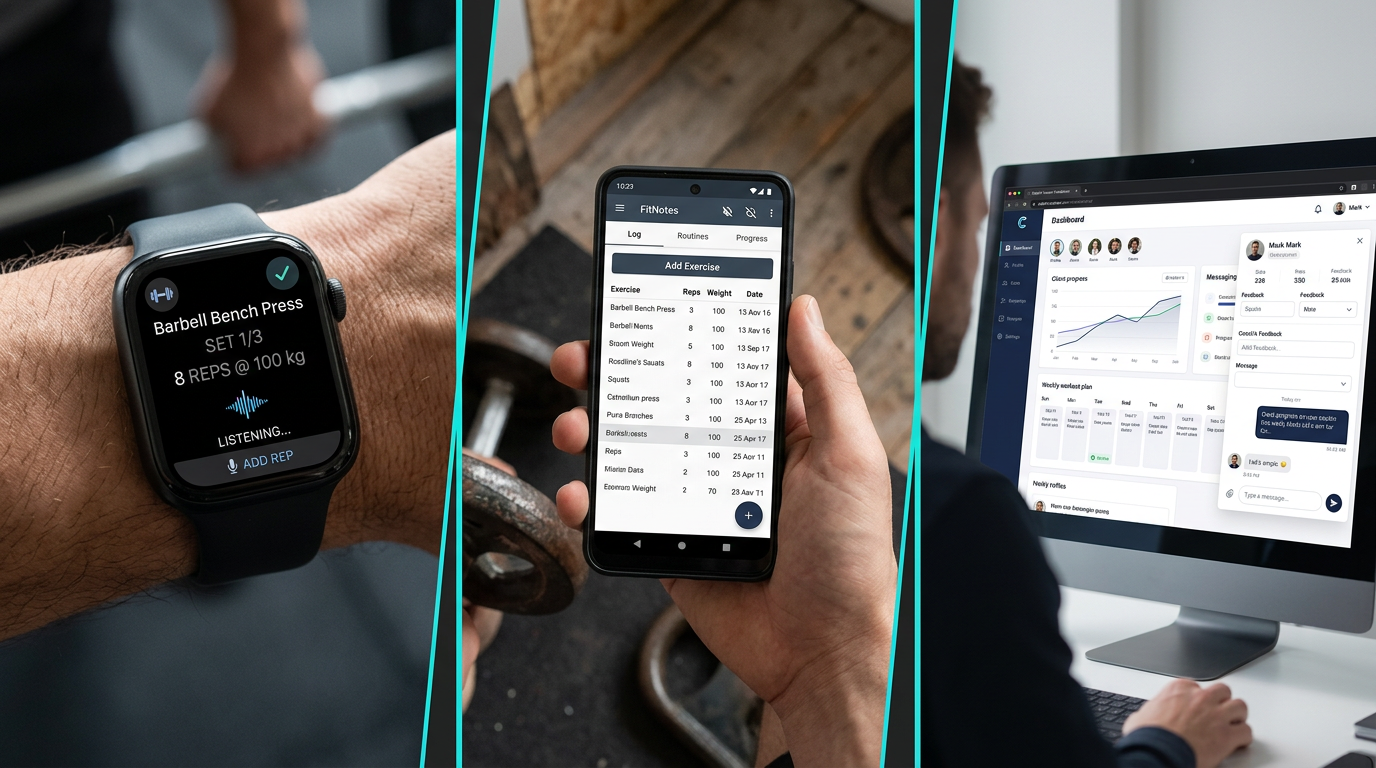
Split-screen comparison showing RepCount's Apple Watch interface with voice commands, FitNotes' offline Android tracking, and Caliber's human coaching dashboard
What Makes a Good Weightlifting App
A good weightlifting app needs to log your workout faster than you could write it in a notebook. If you're standing in the gym between sets, you want to tap in 225x5x3 and move on. Apps that require multiple screens or menus slow you down.
Logging Speed and Interface
The best apps let you log a set in under 5 seconds. You should be able to adjust weight, reps, and RPE without hunting through menus. Automatic rest timers should start after you log a set, not require a separate button press.
The interface needs to work with sweaty hands and gym lighting. Big buttons, high contrast, and simple navigation matter more than fancy animations. You're using this app when you're tired between heavy sets, not browsing Instagram.
Automatic Progress Tracking
Manual PR tracking doesn't work. You won't remember if 315x6 is a rep PR or if you hit it last month. Good apps detect PRs automatically and show your projected 1RM after every working set.
Volume tracking across weeks and months matters for hypertrophy. You need to see if your total tonnage is increasing over a mesocycle. Apps that only show individual lift progress miss the bigger picture of training volume.
Program Support
If you're following a structured program, the app should handle per-set targets. You need to see that today's squat calls for 315x5x3 at RPE 8 based on your training max, not guess what to lift.
Progression schemes need to work automatically. If your program calls for adding 5 pounds when you hit all reps, the app should do that math for you. Manual updates between sessions waste time and create errors.
Data Ownership and Export
Your workout history is valuable. Apps that lock your data behind their platform are a problem. You should be able to export everything as CSV or JSON if you want to switch apps or analyze your training elsewhere.
Cloud sync is convenient but offline functionality matters. Gyms have spotty wifi and you don't want to lose a workout because the app couldn't reach the server.
How to Choose the Right Weightlifting App
Start by defining what you actually need. If you're running a structured program like 531 or a linear progression, you need an app with per-set targets and automatic progression. Boostcamp or GymTrack work well here.
Match the App to Your Training Style
Lifters who build their own programs need flexibility. Strong and FitNotes let you create custom routines without forcing you into a template. You control the exercises, sets, reps, and progression.
If you want coaching but can't afford a trainer, GymTrack's AI coach or Caliber's human coaching might be worth it. The AI option reads your history and adjusts automatically. The human option gives you custom programming and accountability.
Consider Your Experience Level
Beginners benefit from apps with built-in programs and form guides. JEFIT and Boostcamp include detailed exercise libraries and established programs. You don't need to figure out programming when you're learning the lifts.
Advanced lifters need detailed analytics and volume tracking. Gravitus and GymTrack show tonnage per muscle group, intensity distribution, and periodization metrics. These matter when you're managing fatigue across a training block.
Test the Free Version First
Most apps offer free versions or trials. Use the free version for 2-3 weeks before paying. You'll know quickly if the logging speed works for you and if the interface makes sense in the gym.
Pay attention to what's locked behind the paywall. Some apps cripple the free version to push upgrades. Others give you full functionality with minor limitations. Strong, Hevy, and GymTrack all have usable free versions.
Check Platform Compatibility
If you use both iPhone and Android, make sure the app syncs across platforms. RepCount only works on iOS. FitNotes only works on Android. Most others support both with cloud sync.
Apple Watch users should consider RepCount or apps with good watch support. Logging from your wrist is faster than pulling out your phone between sets. Voice commands make it even easier.
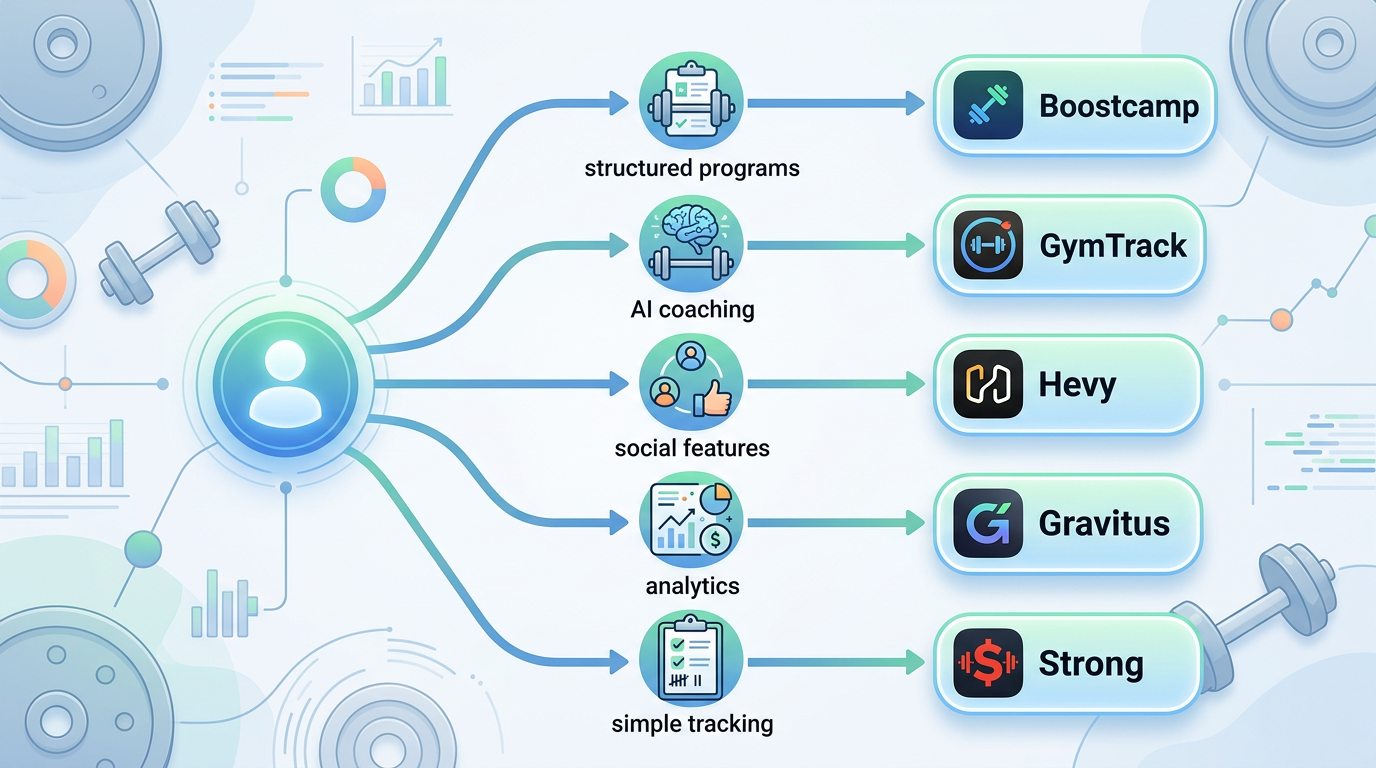
Flowchart diagram showing decision tree for choosing a weightlifting app based on needs: structured programs leads to Boostcamp, AI coaching leads to GymTrack, social features leads to Hevy, analytics leads to Gravitus, and simple tracking leads to Strong
Common Mistakes When Using Weightlifting Apps
The biggest mistake is logging every warmup set. You don't need to record 135x5, 185x5, and 225x3 before your working sets of 275x5x3. It clutters your data and wastes time. Log your working sets and maybe your top warmup.
Overthinking Exercise Selection
Apps with huge exercise libraries tempt you to program 15 different curl variations. Stick to the basics. Most programs need squat, bench, deadlift, overhead press, rows, and a few accessories. Adding obscure movements doesn't make your program better.
Don't switch exercises every week chasing variety. You need to track progress on the same movements over months. If you swap front squat for back squat every other week, you can't tell if you're getting stronger.
Ignoring Rest Times
Automatic rest timers help but don't let them control your training. If you need 4 minutes between heavy deadlift sets, take 4 minutes. Don't rush because the timer says 3 minutes. The app serves you, not the other way around.
Conversely, don't scroll social media for 10 minutes between sets of curls. Set appropriate rest times per exercise. Heavy compounds get 3-5 minutes. Accessories get 60-90 seconds. Stick to it.
Not Using RPE or RIR
Many apps support RPE or RIR tracking but lifters ignore it. These metrics help you understand if you're actually pushing hard or sandbagging. If you log 225x5 at RPE 7 one week and 225x6 at RPE 7 the next week, you got stronger.
RPE also helps with auto-regulation. If your program calls for RPE 8 but you can only hit RPE 9 at the target weight, you're accumulating fatigue. Time to reduce volume or deload.
Switching Apps Too Often
Your training history is your most valuable asset. Switching apps every few months fragments your data. Pick an app, stick with it for at least 6 months, and build a real history.
If you must switch, export your data first. Most apps let you download CSV files. You can import this into spreadsheets or some other apps to preserve your history.
Best Weightlifting Apps for Specific Goals
Different training goals need different app features. Here's what to use based on what you're actually trying to accomplish.
For Powerlifting
Powerlifters need per-set targets with percentage-based progression. Boostcamp includes programs like Candito 6 Week, nSuns, and Calgary Barbell. GymTrack's AI coach adjusts your training maxes based on your actual performance, not outdated percentages.
You want detailed tracking of squat, bench, and deadlift with projected 1RM after every working set. The app should handle different rep ranges across training blocks and calculate your opener attempts for meets.
For Hypertrophy
Bodybuilders need volume tracking per muscle group. Gravitus shows your weekly tonnage for chest, back, legs, and other muscle groups. You can see if you're hitting your target volume landmarks across a mesocycle.
Exercise variety matters more for hypertrophy than strength. JEFIT's large exercise library helps you program different movements for the same muscle group. You want to track total volume, not just individual lift PRs.
For Beginners
New lifters benefit from apps with form guides and established programs. JEFIT includes animated exercise demonstrations. Boostcamp has Starting Strength and other beginner programs with clear progression.
You want an app that tells you exactly what to do each session. Per-set targets remove the guesswork. Automatic progression means you don't need to calculate your next workout. Just show up and lift what the app says.
For Advanced Lifters
Advanced lifters need flexibility and detailed analytics. GymTrack's AI coach adjusts programs based on your fatigue and performance trends. Gravitus shows volume distribution and intensity metrics across training blocks.
You want control over your programming with the ability to modify sets, reps, and intensity as needed. Auto-regulation features help you adjust volume without manual spreadsheet work. Detailed history lets you analyze what's worked over years of training.
Which Weightlifting App Is Best For You
Choose GymTrack if you want the fastest logging speed with AI coaching that reads your training history. The app is free and built for serious lifters who want per-set targets, automatic progression, and PR detection without manual tracking.
Choose Strong if you want simple, straightforward workout logging without extra features. The free version is fully functional and the interface is clean. Good for lifters who build their own programs and don't need coaching or advanced analytics.
Choose Hevy if you want social features and community motivation. The workout tracking is solid and the free version works well. Best for lifters who like sharing workouts and following training partners.
Choose Boostcamp if you want to follow established programs without paying for coaching. Hundreds of free programs from Starting Strength to advanced periodization. The app handles all the progression math automatically.
Choose JEFIT if you need a massive exercise library with detailed form guides. The 1300+ exercises cover every movement. Good for lifters who do unusual exercises or want video demonstrations.
Choose RepCount if you're an Apple Watch user who wants to log workouts from your wrist. One-time purchase with full watch functionality. Leave your phone in the locker.
Choose FitNotes if you're on Android and want complete offline functionality with no account. Free, simple, and privacy-focused. All data stays on your device.
Choose Caliber if you want human coaching but can't afford or don't want in-person training. Real coaches review your workouts and adjust your program. Expensive at 60 dollars per month but includes custom programming.
Choose Gravitus if you're a data-focused lifter who wants detailed volume metrics and periodization tracking. Best analytics of any app with tonnage per muscle group and fatigue metrics.
Choose Alpha Progression if you want algorithm-based auto-regulation. The app adjusts your volume and intensity based on your performance without manual programming.
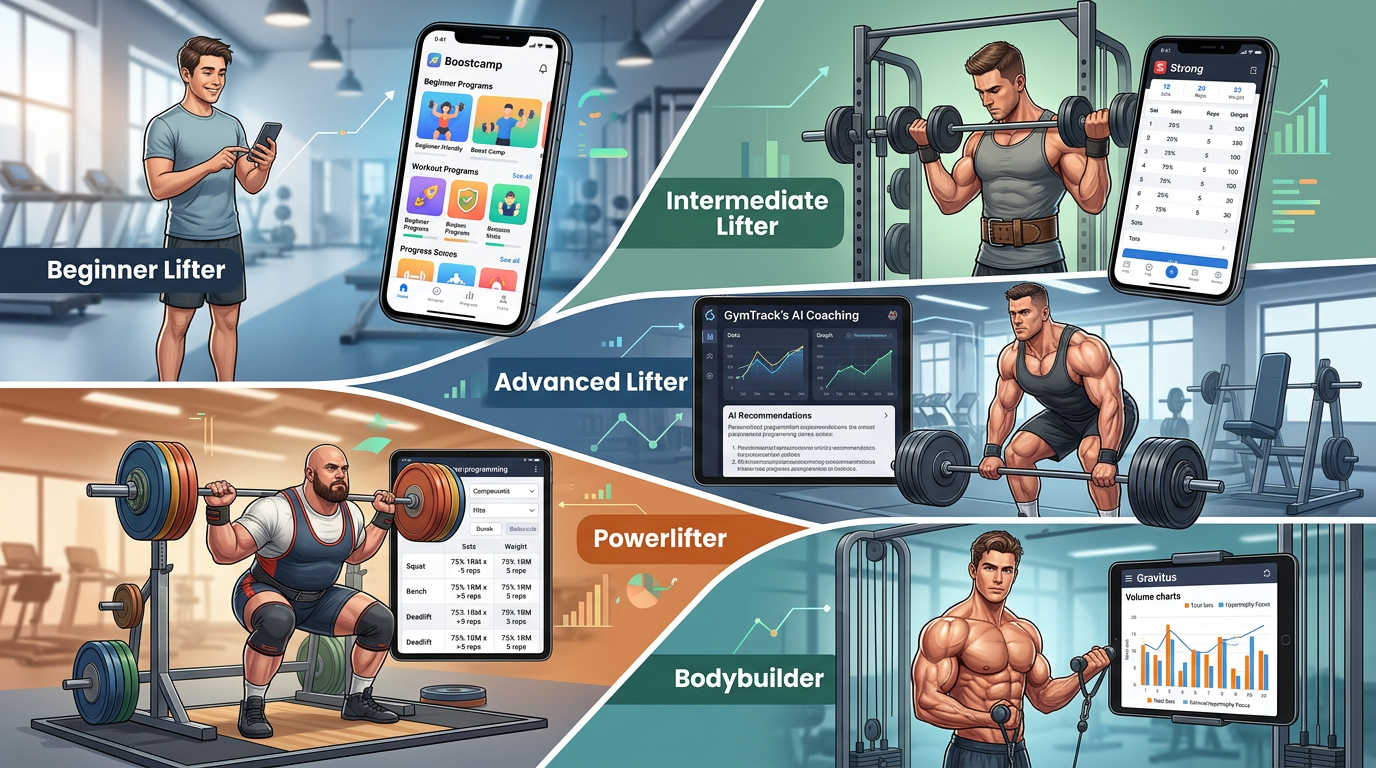
Visual guide showing different lifter profiles matched to recommended apps: beginner with phone showing Boostcamp, intermediate with Strong, advanced with GymTrack's AI coaching interface, powerlifter with percentage-based program, bodybuilder with Gravitus volume charts
Frequently Asked Questions
What is the best free weightlifting app?
GymTrack, Strong, and Boostcamp offer the best free versions with no feature limits. GymTrack includes AI coaching and automatic progression. Strong provides simple workout logging with unlimited exercises. Boostcamp gives you hundreds of free structured programs. All three work offline and sync across devices.
Do weightlifting apps actually help you get stronger?
Yes, tracking your workouts consistently leads to better progress. Apps detect PRs automatically, show your volume trends, and ensure you're applying progressive overload. Lifters who log workouts make measurable strength gains because they can see what's working and adjust their training based on actual data, not guesswork.
Can I use a weightlifting app offline in the gym?
Most weightlifting apps work offline and sync when you have internet. GymTrack, Strong, FitNotes, and RepCount all function without wifi. You can log your entire workout offline and the app syncs your data to the cloud later. This matters because many gyms have poor cell reception.
How much do weightlifting apps cost?
Free apps like GymTrack, Boostcamp, and FitNotes include all core features. Paid subscriptions range from 5 to 13 dollars per month for Strong, Hevy, JEFIT, and Gravitus. RepCount costs 8 dollars one-time. Caliber with human coaching costs 60 dollars monthly. Most lifters find free versions sufficient.
What features should I look for in a weightlifting app?
Look for fast logging under 5 seconds per set, automatic rest timers, PR detection, and projected 1RM calculation. Per-set targets help if you follow structured programs. Volume tracking shows tonnage per muscle group. Offline functionality and data export matter for long-term use. Advanced features include AI coaching and auto-regulation.
Should I track every set including warmups?
No, only log your working sets and maybe your top warmup. Recording every warmup set clutters your data and wastes time between sets. Most apps calculate volume and PRs from working sets only. Focus on tracking the weights that actually contribute to your training stimulus and progressive overload.
Can weightlifting apps replace a coach?
Apps with AI coaching like GymTrack can adjust programs based on your performance, but they can't watch your form or provide real-time feedback. Human coaching through Caliber offers custom programming and accountability. Most intermediate lifters can follow structured programs from Boostcamp successfully without coaching if they understand the basics.
Conclusion
The best weightlifting apps make tracking your workouts faster than paper logs while giving you automatic PR detection, volume tracking, and progression schemes. GymTrack offers the fastest logging with AI coaching that reads your training history. Strong and Hevy provide solid free options for straightforward workout tracking. Boostcamp gives you hundreds of free structured programs.
Your choice depends on your training style and what features you actually need. Beginners benefit from apps with built-in programs and form guides. Advanced lifters need detailed analytics and auto-regulation. Most lifters find that free versions like GymTrack, Strong, or Boostcamp handle everything they need without paying for subscriptions.
Pick an app, stick with it for at least 6 months, and build a real training history. Your logged workouts become your most valuable training tool over time.
Log your next session in GymTrack
Fast set logging, automatic PRs, programs with per-set targets and an AI coach that reads your history. Free on iPhone and Android.
Get the app