 GymTrack
Gym Track vs Hevy: Which Tracker Wins?
November 2, 2026 · 20 min read
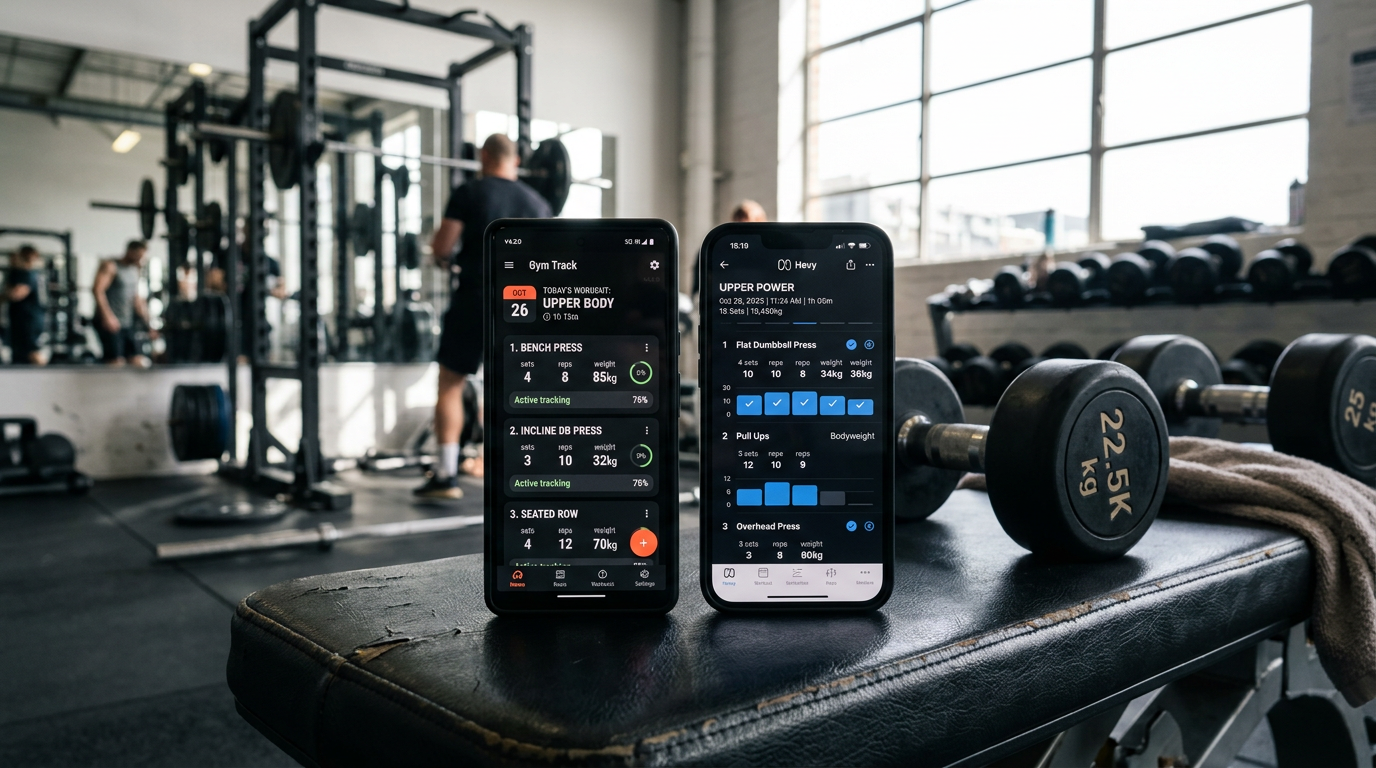
Gym Track vs Hevy: Which Tracker Wins?
Gym track vs hevy compares two popular strength training apps: GymTrack offers fast logging with per-set targets, automatic PR detection, and AI coaching for serious lifters, while Hevy provides an intuitive interface with social features and extensive exercise library for general gym-goers.
You open your phone between sets, ready to log your third working set of squats. You need to record 315 pounds for 5 reps at RPE 8, check if it's a PR, and see what your next set should be. This takes either 10 seconds or 45 seconds depending on which app you use.
The gym track vs hevy debate matters because your workout tracker should speed up your training, not slow it down. Both apps handle the basics, but they serve different lifters. One prioritizes speed and program structure. The other emphasizes community and exercise discovery.
This comparison breaks down logging speed, program features, PR tracking, interface design, and pricing to help you pick the right tool for your training style. We tested both apps through full training blocks to see which one actually makes you a better lifter.
Key Takeaways
- GymTrack logs sets in 3-5 seconds with automatic PR detection and projected 1RM calculations
- Hevy offers a cleaner interface with social features and 400+ exercise videos for beginners
- GymTrack provides per-set targets and AI coaching based on your training history
- Hevy works better for general fitness and bodybuilding splits without strict programming
- Both apps are free with optional premium features starting at $6-10 monthly
Feature
GymTrack
Hevy
Logging Speed
3-5 seconds per set
8-12 seconds per set
Per-Set Targets
Yes, built into programs
No, workout-level notes only
Automatic PR Detection
Yes, real-time
Yes, post-workout
Projected 1RM
Automatic for every lift
Manual calculation
RPE Tracking
Per-set RPE logging
Not available
AI Coaching
Analyzes training history
Not available
Social Features
Minimal
Feed, likes, comments
Exercise Library
Core lifts + customs
400+ with videos
Free Version
Full featured
Full featured
Premium Cost
$9.99/month
$5.99/month
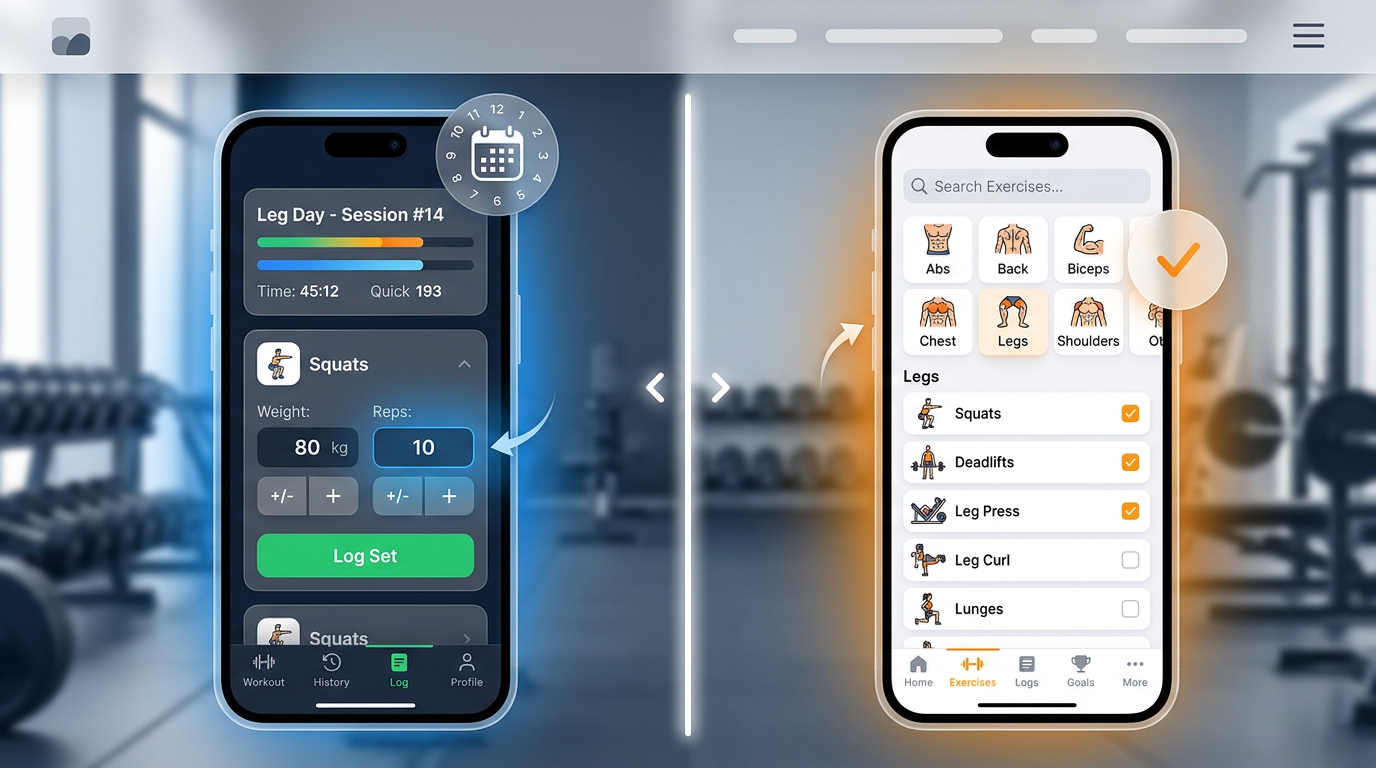
Side-by-side screenshot comparison showing GymTrack's fast logging interface next to Hevy's exercise selection screen with visual differences highlighted
Logging Speed and Workout Flow
The best gym track vs hevy comparison starts with logging speed because that's what you do 60-120 times per workout. GymTrack logs a complete set in 3-5 seconds using quick-tap buttons and smart defaults. You tap weight, reps, and optionally RPE, then swipe to the next set.
GymTrack's Logging Interface
GymTrack remembers your last weight for each exercise. When you open squats, it shows 315 pounds from your previous session. You tap the rep count (5), optionally add RPE (8), and hit complete. The app immediately shows if it's a PR and calculates your projected 1RM at 355 pounds.
The interface uses large tap targets designed for sweaty fingers. No scrolling through exercise lists between sets. No typing numbers on a keyboard. Just tap, tap, done.
Hevy's Logging Approach
Hevy takes 8-12 seconds per set because it prioritizes visual clarity over speed. You see your entire workout history on one screen with graphs and previous performance. This helps you understand progress but adds steps to logging.
The app requires more taps to input weight and reps. You select weight from a picker wheel or type it in. The interface looks cleaner but takes longer to navigate during actual training.
Rest Timer Comparison
Both apps include rest timers. GymTrack auto-starts timers after you log a set with customizable defaults per exercise (3 minutes for squats, 90 seconds for curls). Hevy requires manual timer starts but lets you adjust mid-countdown with a slider.
Program Features and Structure
This is where gym track vs hevy diverges most. GymTrack builds programs with per-set targets. Hevy builds workouts with exercise lists.
GymTrack's Program System
GymTrack shows you exactly what to lift each set before you start. A 5/3/1 program displays "Week 1, Day 1: Squat 275x5, 315x5, 355x5+" with percentages calculated from your training max. You see targets, you hit them, you move on.
The app includes popular programs like:
- 5/3/1 variations (BBB, FSL, Boring But Strong)
- GZCL method (GZCLP, General Gainz, Jacked and Tan 2.0)
- Linear progression templates
- Custom program builder with percentage-based progression
You can also build custom programs with auto-regulation. Set a target like "3 sets at RPE 8" and the app suggests weights based on your recent performance.
Hevy's Workout Templates
Hevy uses workout templates instead of structured programs. You create a "Push Day" template with bench press, overhead press, and accessories. Each time you run it, you decide what weights to use based on how you feel.
This works well for bodybuilding splits where you train to failure and don't follow strict percentages. It works poorly for strength programs that require specific loads and progression schemes.
Hevy does let you copy community templates from other users. You'll find thousands of shared workouts, but they're just exercise lists without progression logic.
Progression Tracking
GymTrack tracks whether you hit your programmed targets. If your program calls for 315x5 and you get 315x6, it marks that as target exceeded and adjusts future weeks accordingly.
Hevy tracks volume and frequency over time with detailed graphs. You see total tonnage per muscle group, sets per week, and training frequency. This helps you spot overtraining or imbalances but doesn't drive your next workout.
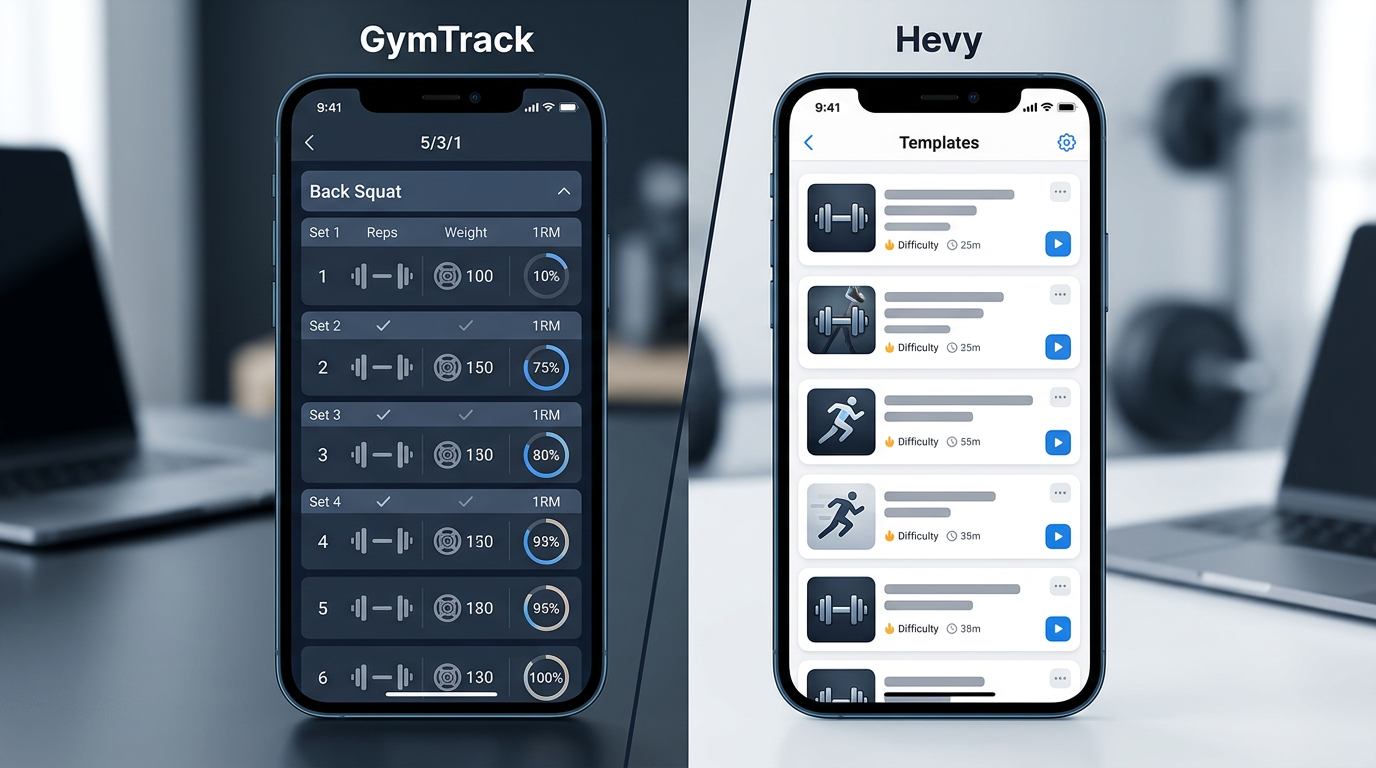
Screenshot showing GymTrack's program view with per-set targets and percentages displayed for a 5/3/1 workout compared to Hevy's workout template list
PR Detection and Strength Metrics
Both apps detect personal records, but they calculate them differently. GymTrack automatically calculates estimated 1RM for every set using the Epley formula and flags PRs in real-time. Hevy shows PRs after you finish your workout.
GymTrack's PR System
GymTrack tracks PRs across multiple metrics:
- 1RM (actual and estimated)
- Rep PRs at specific weights (315x8 beats your previous 315x6)
- Volume PRs (total pounds moved in a workout)
- Relative strength (bodyweight ratio)
When you log 315x5 on squats, the app immediately shows "New estimated 1RM: 355 lbs (previous: 350 lbs)." You know you're progressing without waiting for test days.
Hevy's PR Tracking
Hevy flags PRs for weight at a given rep range. If you squat 315x5 and your previous best was 305x5, you get a PR badge. The app doesn't calculate estimated 1RM automatically, you need to do a true 1RM test or use an external calculator.
Hevy's PR feed shows all your recent records in a timeline. This creates a motivating visual history but doesn't help you plan future training loads.
Bodyweight and Relative Strength
GymTrack logs bodyweight and calculates strength ratios (your squat divided by bodyweight). This helps you track relative strength as your weight changes during cuts or bulks.
Hevy tracks bodyweight separately in a measurements section. You can graph it over time but it doesn't integrate with your lift data.
Key Differences Between GymTrack and Hevy
The gym track vs hevy decision comes down to training style. These differences matter more than features lists.
Speed vs Visual Design
GymTrack optimizes for logging speed. Large buttons, minimal taps, smart defaults. You can log an entire 20-set workout in under 2 minutes of total phone time.
Hevy optimizes for visual clarity and exploration. Beautiful graphs, smooth animations, detailed exercise instructions. You spend more time in the app but get more information.
Programming vs Flexibility
GymTrack assumes you follow a program with planned progression. It excels when you know what you're supposed to lift before you walk into the gym.
Hevy assumes you decide weights based on feel. It excels when you auto-regulate and don't follow strict percentages.
Coaching vs Community
GymTrack includes an AI coach that reads your training history and suggests modifications. If you're consistently missing targets on squats but hitting them on deadlifts, it might suggest reducing squat volume or increasing recovery time.
Hevy includes social features. You follow friends, see their workouts in a feed, and leave comments. This creates accountability and motivation through community rather than algorithmic coaching.
Similarities Between the Apps
Both apps handle core workout tracking well. They share several important features.
Exercise Libraries
Both include major compound lifts and common accessories. Both let you add custom exercises with your own names and categories. Hevy has more pre-loaded exercises (400+ vs 200+) with video demonstrations.
Cloud Sync and Backup
Your data syncs across devices automatically. Switch from phone to tablet mid-workout without losing progress. Both apps back up your history so you never lose years of training data.
Plate Calculator
Both show which plates to load on the bar. When you program 315 pounds, the app displays "3 plates per side" or breaks it down to "45+45+45+2.5." This prevents math errors when you're tired.
Free Core Features
Neither app gates basic functionality behind paywalls. You can log unlimited workouts, track all exercises, and see your progress graphs without paying. Premium features add convenience, not core capabilities.
Export Options
Both let you export workout data as CSV files. You own your training history and can move it to spreadsheets or other apps if needed.
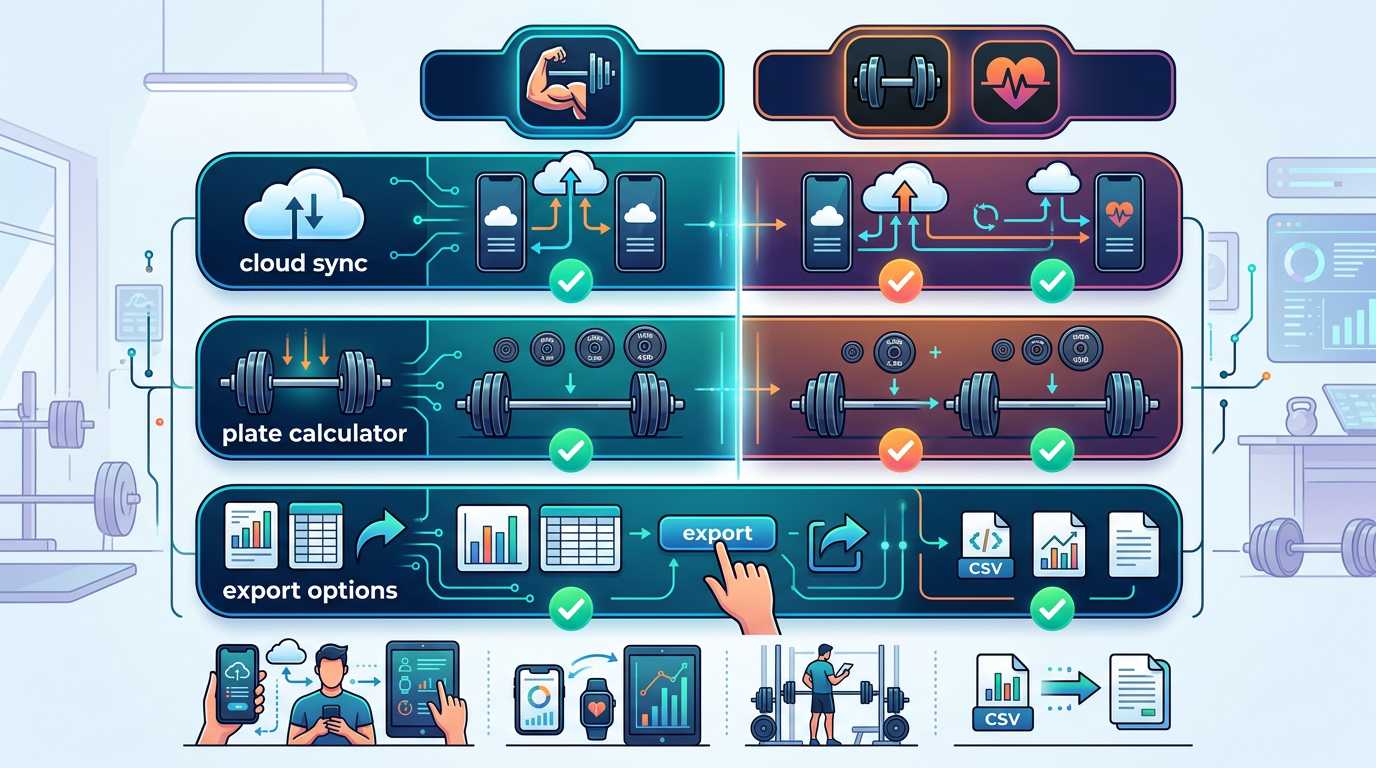
Feature comparison infographic showing shared capabilities between GymTrack and Hevy including cloud sync, plate calculator, and export options with checkmarks
Which Workout Tracker Should You Choose?
The best gym track vs hevy choice depends on how you train. Here's how to decide.
Choose GymTrack If You:
- Follow structured programs like 5/3/1, GZCL, or linear progression
- Want per-set targets calculated from percentages
- Need fast logging (under 5 seconds per set)
- Track RPE or RIR for auto-regulation
- Want AI coaching based on your training history
- Prioritize automatic PR detection and estimated 1RM
- Train for powerlifting or strength-focused goals
GymTrack works best for lifters who know their program and want technology to stay out of the way. If you follow a coach or a structured plan, GymTrack executes it efficiently.
Choose Hevy If You:
- Run bodybuilding splits without strict percentages
- Want extensive exercise videos and form guides
- Value social features and community motivation
- Prefer visual design over logging speed
- Need a large pre-built exercise library
- Train instinctively based on feel each session
- Want detailed volume and frequency analytics
Hevy works best for lifters who enjoy exploring exercises and sharing progress with others. If you auto-regulate and don't follow strict programs, Hevy gives you flexibility with good analytics.
What About Strong and Boostcamp?
Strong sits between GymTrack and Hevy. It logs faster than Hevy but slower than GymTrack. It has workout templates but not full program structure. Strong works well if you want simplicity without much programming logic.
Boostcamp specializes in pre-built programs from popular coaches. If you want to run nSuns, Reddit PPL, or PHUL exactly as written, Boostcamp delivers those programs with built-in progression. It's less flexible than GymTrack for custom programming.
Pricing and Premium Features
Both apps offer generous free versions. Premium unlocks convenience features, not essential functionality.
GymTrack Pricing
Free version includes unlimited workouts, all exercises, PR tracking, and basic programs. Premium ($9.99/month or $59.99/year) adds:
- AI coaching and workout analysis
- Advanced program templates
- Custom warm-up protocols
- Detailed analytics and trends
- Priority support
The free version handles everything most lifters need. Premium makes sense if you want AI coaching or complex program customization.
Hevy Pricing
Free version includes unlimited workouts, exercise library, and basic analytics. Hevy Pro ($5.99/month or $29.99/year) adds:
- Superset and circuit tracking
- Advanced statistics and graphs
- Custom exercise categories
- Workout notes and attachments
- Dark mode
Hevy's premium costs less but adds fewer transformative features. The free version covers most use cases well.
Value Comparison
GymTrack charges more but includes AI coaching, which provides ongoing value if you use it. Hevy charges less for features that enhance the existing experience without changing how you train.
Neither requires payment to be useful. Try both free versions for 2-3 weeks and upgrade only if you hit specific limitations.
User Experience and Interface Design
Interface design affects your training more than you think. An app you can operate with sweaty hands between heavy sets beats one that requires careful navigation.
GymTrack's Minimalist Design
GymTrack uses a workout-first interface. When you open the app, you see your current workout with large buttons for logging sets. No home screen dashboard, no social feed, no distractions.
The design prioritizes thumb-reachable buttons and high-contrast text. You can read your targets and log sets in bright gym lighting or dim garage lighting without squinting.
Hevy's Polished Interface
Hevy feels more like a social media app. You see a home dashboard with recent workouts, progress graphs, and a community feed. The design uses smooth animations and gradient colors.
This makes exploring the app enjoyable but adds navigation steps during workouts. You tap through more screens to start logging and see more information competing for attention.
Learning Curve
GymTrack requires understanding how programs work. If you don't know what a training max is or how percentage-based progression works, the app feels complicated at first. Once you understand the concepts, it becomes intuitive.
Hevy works immediately. Create a workout, add exercises, log sets. The learning curve is minimal because it mirrors paper workout logs digitally.
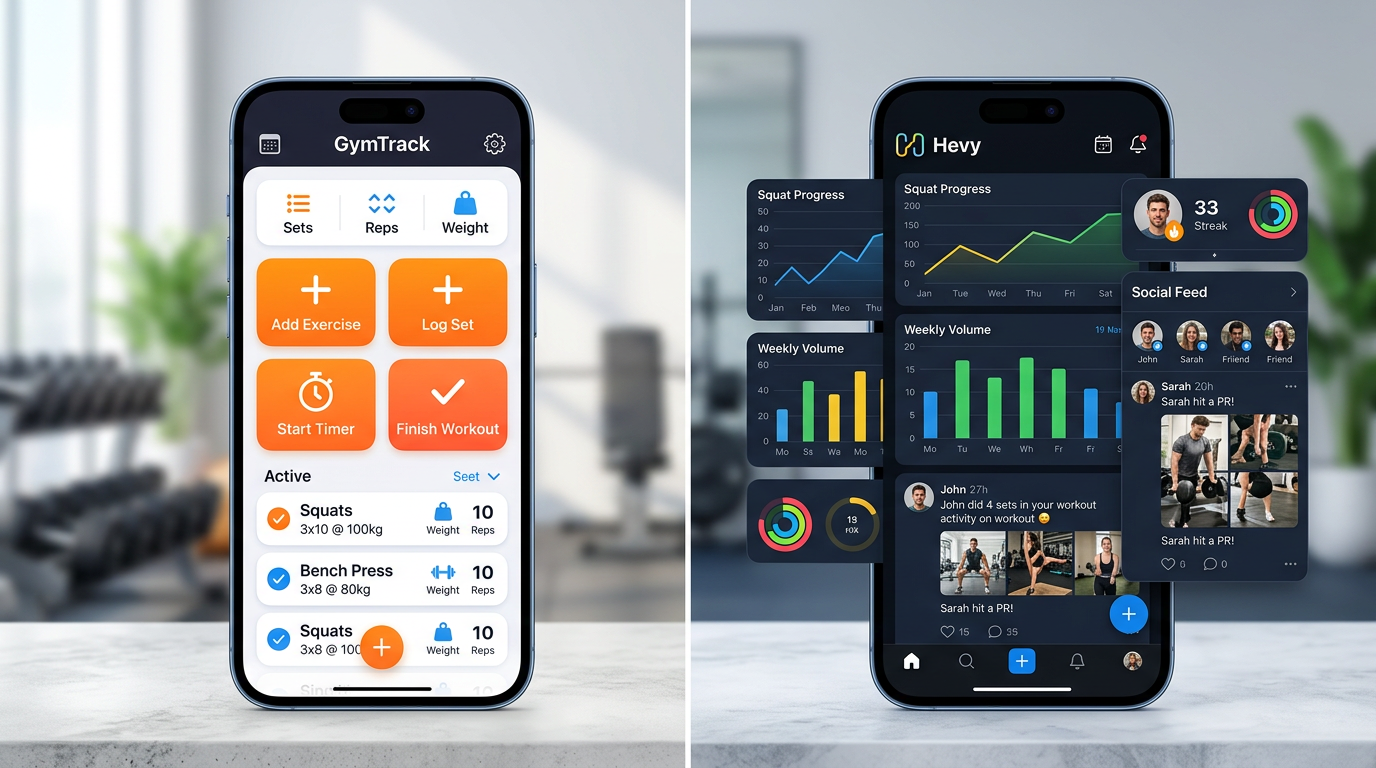
User interface comparison showing GymTrack's workout logging screen with large buttons next to Hevy's dashboard with graphs and social feed
Platform Availability and Syncing
Both apps work on iOS and Android with cloud syncing. Your data stays current across devices automatically.
Mobile Performance
GymTrack runs lean on older phones. The minimalist design means fast loading and no lag during workouts. The app works offline and syncs when you reconnect.
Hevy requires more processing power for animations and graphs. It runs smoothly on recent phones but may lag on devices older than 3-4 years. Offline mode works but some features require connection.
Apple Watch and Wearables
GymTrack offers basic Apple Watch support for logging sets from your wrist. You see current targets and can mark sets complete without pulling out your phone.
Hevy provides more comprehensive Apple Watch integration with full workout control, rest timers, and heart rate tracking through HealthKit.
Web Access
Neither app offers full web versions. You can view some data through web dashboards but can't log workouts from a desktop browser. This makes sense since most people train with phones.
Frequently Asked Questions
Which workout tracker is better, Hevy or Strong?
Hevy offers better social features and exercise videos, while Strong provides faster logging and simpler workout templates. Hevy works better for lifters who want community motivation and detailed exercise libraries. Strong suits minimalists who want quick logging without social features or extensive analytics.
What is the best app to track gym workouts?
The best workout tracking app depends on your training style. GymTrack excels for structured programs with per-set targets and automatic PR detection. Hevy works better for flexible bodybuilding splits with social features. Strong offers simple logging. Boostcamp provides pre-built programs from coaches.
Which app is better, Hevy or Fitbod?
Hevy lets you control your own programming and log workouts manually, while Fitbod generates workouts automatically using AI. Choose Hevy if you follow your own program or coach. Choose Fitbod if you want the app to plan workouts based on available equipment and recovery status.
What is the #1 workout app?
No single workout app ranks #1 for all lifters. GymTrack leads for program-based strength training with fast logging and AI coaching. Hevy leads for social features and exercise libraries. Strong leads for simplicity. The best app matches your specific training style and goals.
Does GymTrack work offline?
Yes, GymTrack works fully offline and syncs your workouts when you reconnect to the internet. You can log all sets, track PRs, and follow programs without cell service or WiFi. This helps in basement gyms or areas with poor reception.
Can you import workouts from Hevy to GymTrack?
Both apps support CSV export of your workout history. Export your data from Hevy as CSV, then contact GymTrack support to help import it. The process preserves your exercise history, weights, and reps but may require some manual formatting adjustments.
How much does gym track vs hevy cost?
Both apps offer free versions with full workout tracking. GymTrack Premium costs $9.99 monthly or $59.99 yearly for AI coaching and advanced programs. Hevy Pro costs $5.99 monthly or $29.99 yearly for supersets and enhanced analytics. Most lifters find the free versions sufficient.
Final Verdict on Gym Track vs Hevy
The gym track vs hevy comparison reveals two well-built apps serving different lifters. GymTrack wins for serious strength athletes who follow structured programs and want fast logging with automatic progression tracking. Hevy wins for general gym-goers who value community features and exercise exploration over strict programming.
Most powerlifters and strength-focused athletes prefer GymTrack's per-set targets and RPE tracking. Most bodybuilders and casual lifters prefer Hevy's flexibility and social features. Neither choice is wrong, they're optimized for different goals.
Download both apps and test them for two weeks. Run the same workout in each app and see which interface feels faster and more natural. The right tracker disappears into your routine while the wrong one creates friction every session. Your training consistency matters more than any feature list.
Log your next session in GymTrack
Fast set logging, automatic PRs, programs with per-set targets and an AI coach that reads your history. Free on iPhone and Android.
Get the app